Weirdcore, Aphex Twin + Die Antwoord in Melbourne

aphex twin future music festival weirdcore

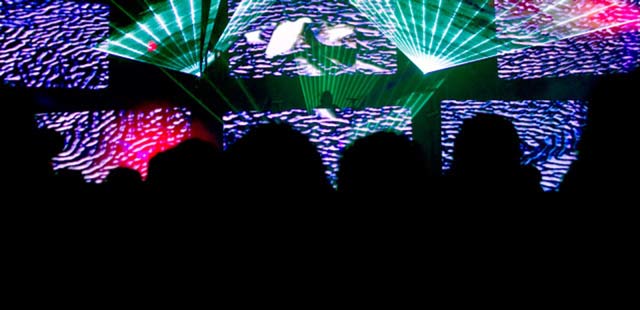
Aphex Twin played in Melbourne recently, which also meant a chance to catch the pixel mutations of his regular tour VJ, Weirdcore. After a summer of stage screens saturated with glossy, void-of-personality motion graphics templates, it was refreshing to catch live tour visuals that were ambitious, sophisticated and raw – very obviously being generated and manipulated live, mistakes and all. Probably not many other ways to approach a set for Aphex, and apparently he does improvise a different set every single time.

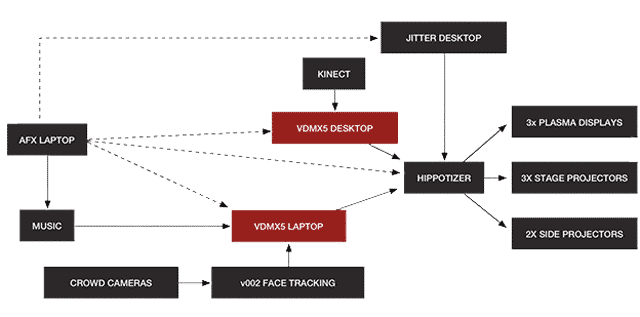
Below, a diagram from Weirdcore’s artist profile at vidvox.net, explaining his video set-up**.

“With additional FX programming from Andrew BensonFlight404, and Vade this is one of the wildest tour setups we’ve seen in a while… but you wouldn’t expect anything less for the worlds most known electronic musician. Pitchfork may have said it best, “First, we can’t really talk about anything until we talk about the visuals.”
weirdcore aphex twin video set-up

[[ **”UPDATE: Weirdcore mentions that diagram is now dated (was for his 2011 set-up), and he intends to shift everything to jitter, with one computer direct to LEDs, much simpler and less likely to fuck up.” ]]
Aphex Twin, kinect, weirdcore, melbourne,

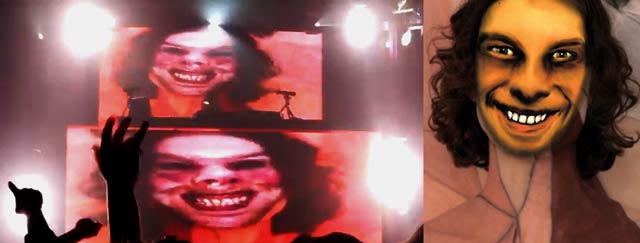
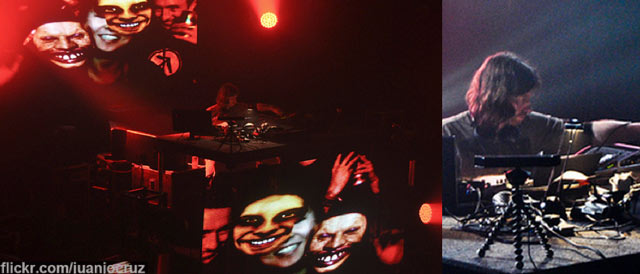
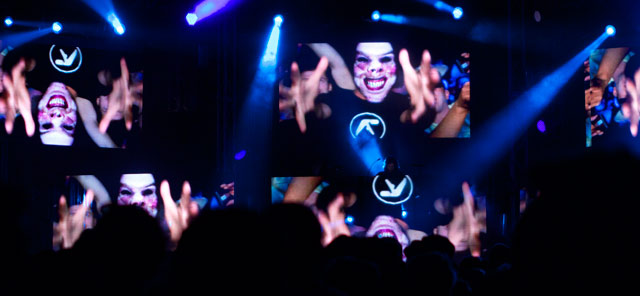
Above : 1 x Richard D. James + 1 x Kinect, flanked by L.E.D. Screens of the face-replaced crowd at the Palace, Melbourne.

Below : The Kinect in action at The Future Music Festival ( Bonus Melbourne software plug : kinectar.org ).
Aphex Twin, kinect, melbourne, future music festival, lasers, weirdcore,

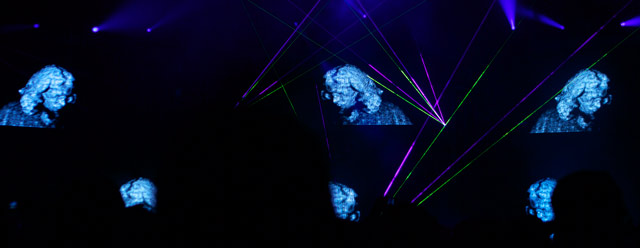
Aside from general pixel mangling and the fast and fluid Weirdcore style – I was curious to see how effective the live face-replacing would be (snippets of it in live Aphex shows have been glimpsed online for a couple of years now). The software and camera set-up seemed to take a while to tune, but when it locked in the effect was mesmerising, updating fast enough to cope with panning cameras of a boisterous crowd, all while being relentlessly modified and further manipulated.

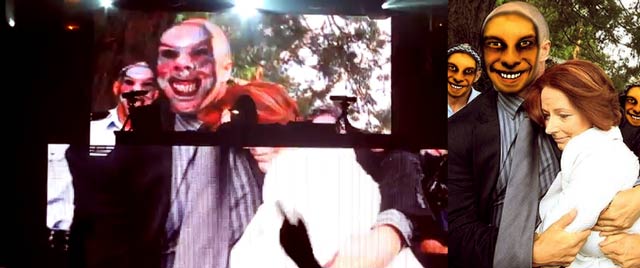
The face-tracking was also put to work in a section of the show that is customised for each location. Weirdcore had asked for feedback on the list of Aussie celebrities he’d compiled, so I threw him a few more names, including 1 x Wally. Crowd reactions varied, but were probably loudest for the photo below of Julia Gillard, and Weirdcore mentioned later that for whatever reason – unlike most other countries, the response had been loudest for politicians at Australian gigs.
Aphex Twin, Gotye, Weirdcore, Melbourne

Aphex Twin, weirdcore, julia gillard, melbourne

Aphex + Die Antwoord Live

die antwoord, aphex twin, melbourne

[[ Die Antwoord? If needing a crash course in South African cartoon-rave-gangsterism – spend 15 minutes of your life inside the short film, Umshini Wam made with Harmony Korine ( Gummo, Kids, etc). ]]

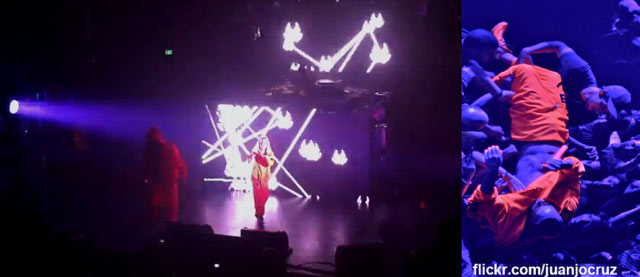
If the Aphex Palace gig wasn’t overloaded enough, 3/4 through the set  – on top of a cacophony of Aphex – Die Antwoord burst out from backstage in orange flouro suits and rapid-fire a couple of tracks, one of which has ninja rapping from above the crowd he has stage-dived into. There are almost enough camera phones in the air, for ninja to get back onstage by walking across a bridge made of gadget. Another highpoint of weirdness is reached when ninja + Yo-landi rasp in their South African accents, ‘Aussie, Aussie, Aussie’ and the crowd eats it up, barking enthusiastically back ‘Oi, Oi, Oi!’. Somehow it all makes sense, including the ideas that future Die Antwoord videos are to be made by Weirdcore and later by Chris Cunningham. One extended global mutant franchise. And yes, after Die Antwoord depart, Aphex still has plenty in reserve (as do the lighting and laser operators), so by the time  it’s done, we can only depart exhausted.

**

Thanks to Weirdcore and his tech companion Fede for taking some tour time out to meet up and chat about pixels.

Be sure to check out  his video projects, including works for MIA, Chuck D, Cassette Playa + Simian Mobile Disco etc, and this Weirdcore video interview at the Creators Project.

( Thanks also, to juanjocruz for letting me use his zoomed in photos, the best on flickr for the Melbourne show. )


by j p, April 10, 2012 0 comments

The Science Fiction Curves of Moebius, RIP 2012.

moebius

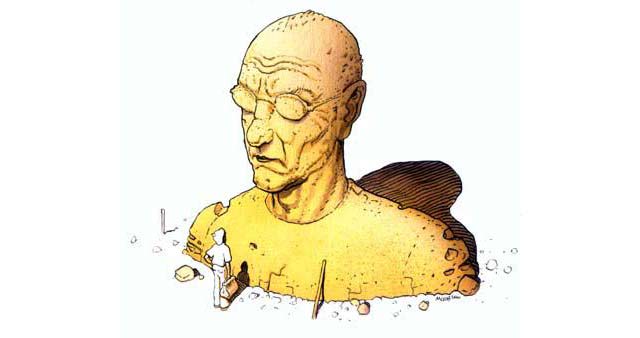
R.I.P. Moebius, aka Jean Giraud, ( 1938-2012 ).

Sadly, we’re now without a living Moebius. All the more reason to revisit (or explore anew) his wild and fantastic creations. Most people might recognise his graceful intergalactic palette as some of the best parts of Heavy Metal magazine (originally Metal Hurlant in France) – but even the comic-less would be familiar with his work and influence on films such as Alien, Tron + Blade Runner. Indeed, we’ve lost a gentle giant.

Some Moebius links to dive into?

official site ( French )
Moebius on wikipedia
Airtight garage, a fan site / tumblr-collage tribute (named after one of his books).
There are several feature-length Moebius documentaries available. Here’s a video interview with Moebius drawing on a Cintiq screen-tablet.
And then there’s the Moebius and Alejandro Jodorowsky film version of Dune they never got to make. It was also to feature Salvador Dali and Giger amongst others, so the documentary about this, Unseen Dune (see trailer), should at least be pretty interesting.

If looking to do an out of print Moebius comic binge on your ipad ( including say, The Incal, his series with Jodorowsky) … Stanza – is a free app that can read CBR + PDF comics.

[Update: 2 great, long-read, illustrated Moebius tributes – on sci-fi sites io9 + Tor.com]

by j p, March 16, 2012 0 comments

Re-animating Dinosaur Skeletons

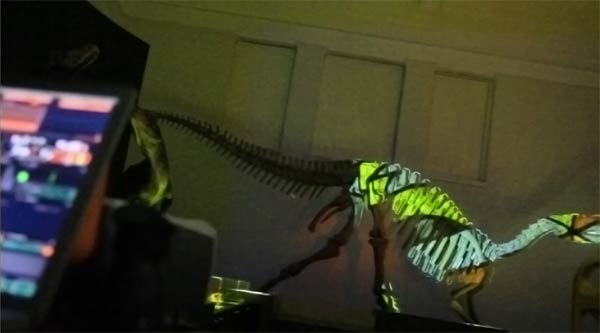
After being invited to perform at the Australian Natural History Museum in Sydney ( back in Aug 2011), I couldn’t resist the chance to project onto a dinosaur skeleton. I was performing video in the foyer with Pattern Machine as part of the Museum’s Jurassic Lounge evening series, and the museum staff were super helpful in squeezing in this extra request during an already hectic night ( which amongst other things, included a silent disco and live taxidermy!).

The Muttaburrasaurus was apparently a herbivorous Aussie dinosaur that lived 100 million years ago, around 8m / 26 ft tall and weighing around 3 tonnes. To project onto it, I connected my camera to my laptop and used Madmapper‘s spatial scanner function to generate an image mask, tidied this up in photoshop, then played with the masked image using VDMX.

Soundtrack by Pattern Machine ( patternmachine.possumpalace.org , see also: related field recordings at soundcloud )

Thanks to Barry Saunders for the invite, and Chanele Moss for general museum awesomeness.

by j p, February 29, 2012 0 comments

Music Video Workflow For Sweet Congo Tardis Limes

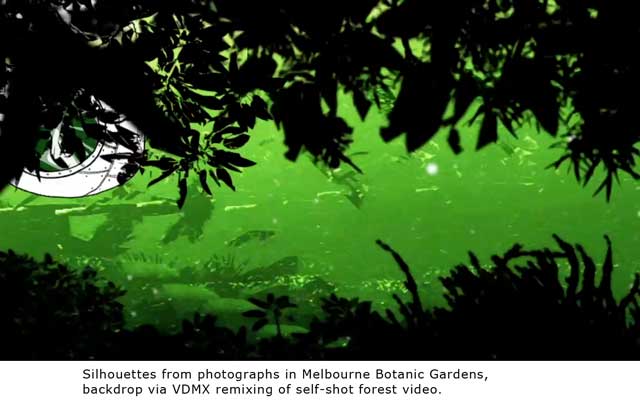
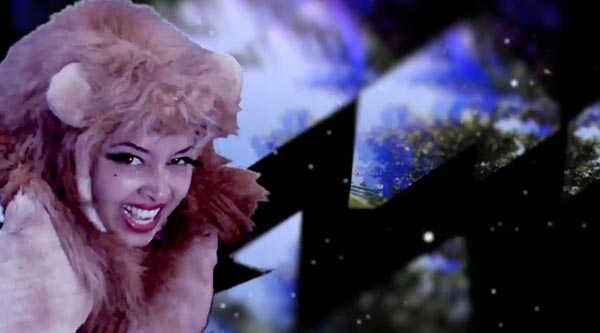
Congo Tardis #1 are an absurdly talented trio of Melbourne turntablists, who recently asked me to put together a micro-budget music video for their new EP. Part of their pitch was that they already had some green screen footage of the guest vocalist (hula-hooping extraordinaire: Marawa the Amazing), so ‘hopefully a quickly composited clip wouldn’t take too long’. The green screen footage, of course, turned out to be a drunken ninja fest: most shots cut off part of Marawas’ head, or featured the camera wobbling on the tripod (when the cameraman wasn’t busy zooming in and out). And yeah – it featured juggling of *green* limes. There was enough gold slithers to make it work though, and making it reminded me how useful VJ tools can be for video production today.

Integrating VJ Software Into Post-Production

Congo just wanted a series of composited scenes cut to music, rather than any narrative, so given their tropical flavour I set about designing some lo-fi cosmic jungle compositions. Typically that’d involve playing with images and video files in Photoshop and After Effects, but being easily able to record HD video with Syphon suddenly makes software like VDMX all the more useful for generating customised textures / timings / visual effects.

– Play music track. Adjust visual parameters with the knobs and sliders of a midi controller and record as you go.

– Playback instantly, see what worked, then rinse, repeat and refine. Or remix that video for a more layered effect.

– Throw these recorded clips into After Effects for some ‘mastering’ / fine-tuning / colour grading etc

The current Adobe Premiere + After Effects integration is another great contributor to an improved video workflow. Using what they call ‘dynamic linking‘ many rendering steps can be cut out and this can make a great difference for putting together a video. It allows precision editing a clip within Premiere, easy offloading into After Effects for parameter adjustments, then re-importing the newly adjusted clip back into Premiere – all without needing to render. Or work on a complex composition in After Effects, then import just this composition into Premiere for timeline cut-up. And of course, the end result of these processes can be exported and used within the likes of VDMX for further real-time splicing, remixing and layering, and easily recorded – for reintegration into… etc etc. THIS MAKES ME HAPPY!

The Sweet Lime (FT Marawa the Amazing) is available now on the Number 1 EP as a 7″ Vinyl, or digital download via congotardis1.com or scatterblog.com.

[[ PS. Thanks to Pineapple Donut, Skynoise now has a dedicated and dynamically updating projects page, so there’s a place I can put stuff like this Congo Tardis music video…  without it getting lost in the archive-ether. Or you can release your comment hounds, while viewing it directly over at vimeo ]]

by j p, February 6, 2012 0 comments

CoGe VJ Software Review + Interview

Even as the VJ software market matures, it’s refreshing to see with releases like CoGe – that there’s still room for new players and perspectives. From deep in his East European code-bunker, creator Tamas Nagy was kind enough to provide a review copy and an interview.

Features

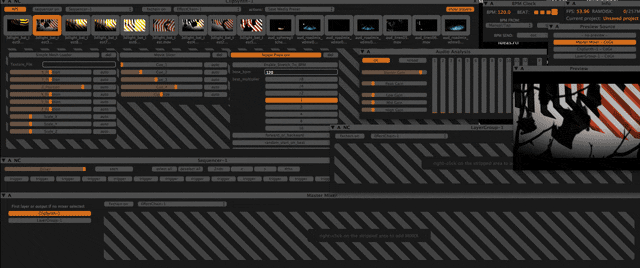
CoGe is a semi-modular, Quartz Composer® powered VJ application for Mac OS X®, designed for real-time media mixing and compositing.”

So – aside from the usual playback and manipulation of clips, what distinguishes CoGe? At first glance, the VDMX-like modular framework is immediately obvious, enabling CoGe to be easily customised for different performance styles or needs. Of the modules available, of notable merit is the very easily used sequencer.

A comprehensive wiki outlines the structure and approach ( the rendering chain / how the modular structure works / various automations+ mappings etc ) / clip synths, and a useful forum is fleshed out with fans eager to push it forward (At time of writing, CoGe 1.2.1 was just released, with significant performance increases ( lots more FPS on HD clips).

Quartz Composer is also quite deeply integrated into the software, which makes sense – given Tamas has developed a whole range of QC plug-ins which can be used within CoGe – eg PSD Brushes  / PSD layers Textfile readers / Webkit ( rendering webpages within CoGe )Beat Detektor / GPL reader ( reads GIMP palette files ) / Mouse co-ordinates etc. As well as possibilities for integrating customised Quartz files and effects, CoGe allows use of  3D animation meshes (Collada .dae format) and flash files alongside any movies and stills used for mixing and compositing. Want to build your own CoGe module using QC? Tutorial – how to create a simple effect for CoGe with Quartz Composer. And yes, rendering is through the graphics card for maximum performance, and double yes – syphon is well integrated too, for easy sending or receiving video to and from other applications.

Interface

It only took a little while to adapt to the CoGe world, and what initially seemed quirky, now makes some sense. The interface elements are easily moved, re-arranged and intelligently grouped together using what CoGe calls ‘aligners’ to “arrange other windows together into manageable organizational ‘buckets'”. It might look a little ravetastic, but it makes for easy navigation and visual feedback while performing, and the sequencer action is great.

Overall?

A welcome addition to today’s VJ software library, it’ll be interesting to see if CoGe manages to continue developing in some interesting directions, given what is being covered elsewhere.

Requirements:

$US99 (custom + educational pricing also available)
A Mac computer with 10.6.7/10.7 or later with a dual-core CPU and at least 1 GB of Ram.

**

Interview with Tamas Nagy, creator of CoGe VJ Software

Given there’s quite a range of existing VJ software – what inspired you to build CoGe?
It’s a kind of funny story 🙂 I saw a first vj gig in 2001 in a music festival, and I fell in love with that thing. Never thought about being a vj, I made music before, so I’m from audio land. Then, when I got my first Mac in 2006, and saw Quartz Composer and saw how Quartonian works, I just think I can do something funny_ – never thought about to make a commercial application, haha 🙂 – with a kind of sync with the music, so just tried it. It was the early version of CoGe, called LovQC, haha 🙂 You can find some test videos made with it on Youtube.

Then I spent more time on the software, added lots of new features, and with 2 friends we just created a VJ team Luma Beamerz and CoGe was born. Anyway, the first version of the app was a 50mb QC composition with just an interface, then I started to learn Cocoa, Obj-C, OpenGL and other stuffs – Vade helped me a lot with the GL stuff, so CoGe now is a “real” application.

Anyway, I never used any other VJ softwares, I just created my own for my own wishes: triggering different points of movie on beat, sequencing still images, etc.

So, I think the big difference between applications is the workflow, so it depends on how you, the user think about creating things. All VJ software has a bunch of same features, triggering files, change speed, colors, etc., the big difference is the workflow, so I think an artist will choose software which works like his/her workflow. For an other example, modularity is a great thing, but a lots of users happy with built-in features in apps and never thought about it can be different.

It’s integrated into your app quite a lot – but what attracts you to Quartz Composer?
The great thing with QC is very easy to learn the basics and use for non-programers too, you shouldn’t be a coder to do a simple image rotation for example. On a developer side, the system integration – using QC stuff inside an application is easy – is a very important thing in my opinion.

It also have a lots plugins, and great media handlers, so a lots of things is possible with QC – basically, CoGe just connects QC stuffs under the hood, nothing magic.

What impact does Syphon have on how developers might approach VJ software today?
I think Syphon has a lots of potencial and its a very great stuff – connecting different sources into other applications is really opens some doors, just think about “sending” images from Max and Processing, and you can mix them in CoGe in a very simple way. That couldn’t be possible before Syphon.

Do you have opinions about whether VJ software should provide more advanced audio controls? And sequencing controls? Or is it better to sync VJ software to something like ableton?

I really like sequencing, using clips and stills in sequencing can provide really good things. With audio controls you can have some fun, but the really good choice is syncing with an audio host if you would like to make real AV things.

What are the challenges of making a good performance interface?
It depends on your workflow and what you wanna do in the performance. I recently just using 3 layers with a lots of media presets and some simple effects. If you using a lots of things the new Aligner stuff helps you to make smaller groups on the screen, I think its a very important feature.

What are you happy about in CoGe today?
CoGe 1.1 release makes me happy, i got a lots of positive feedback on it, and saw some really nice things created with CoGe. Also happy because i have a lots of ideas for the future 🙂

Thanks Tamas!

by j p, February 3, 2012 1 Comment