Live Video for Gotye, Behind the Scenes at the Sydney Opera House

Things you may already know about the Sydney Opera House:
– It is slowly sinking.
– The Danish architect behind it, Jorn Utzon, was forced from the project, and never returned to Australia.
– Anti-war activists climbed it to paint ‘No War’ XL in 2003.
– The legendary comic artist Robert Crumb was supposed to speak there as part of the 2011 Graphic Arts festival, but cancelled after an inflammatory Murdoch article was posted about him.

After doing live video for 2 shows there last weekend with the Gotye band, I can add to that list:
– It is a rabbit warren under the sails.
– The salad sandwiches in the green room are very ordinary.
– The elevator under the concert stage is faulty (I was trapped there with a weary tech guy for 5 tense minutes.. )

I got roped in to do live video for Gotye’s tour for his just released Making Mirrors album, which has accompanying animations for most songs. There’s some pretty nice work amongst it – I’ll have to do a follow-up post soon with links to all the animation houses. For me, my work is mostly editing and formatting to suit the main screen and 2 vertical side screens, then while the band plays – triggering short sections of these clips to ensure the right visual moments are synchronised with the band playing live.

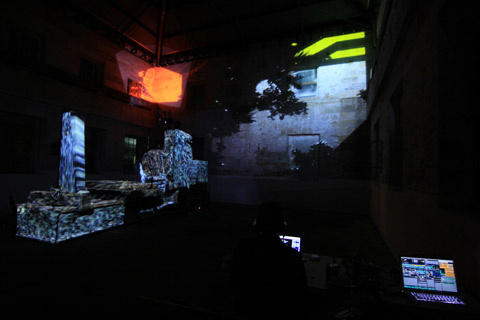
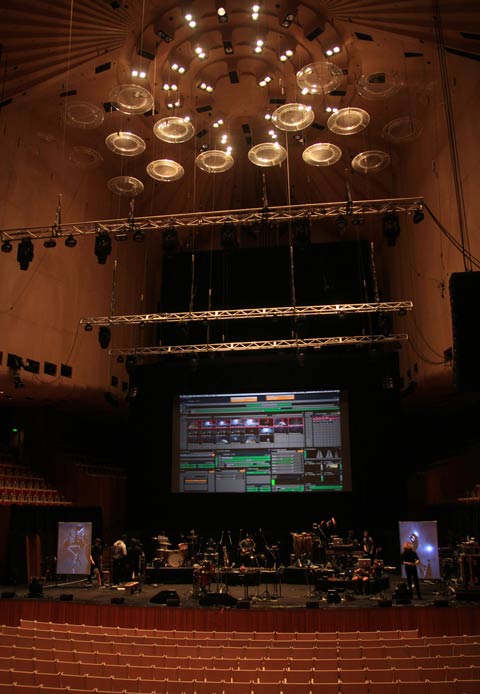
Despite an almost comical list of headaches – long fog delays at Melbourne airport, animations arriving at the last minute, software quirks, a compressed set-up time, hardware quirks, that elevator(!) and so on – the first shows of the tour ended up running really well. Having a crack team of musicians (and tech folk) definitely helps in that regard (including Tim Shiel aka ‘Faux Pas’ beside me onstage). Below, the band and my hard-drive covered laptop during sound / vision check at the Opera House.
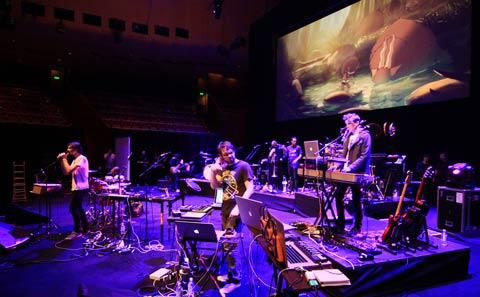
And the VDMX interface spreading its wings up on the screen briefly during rehearsal.
And once again, with people.
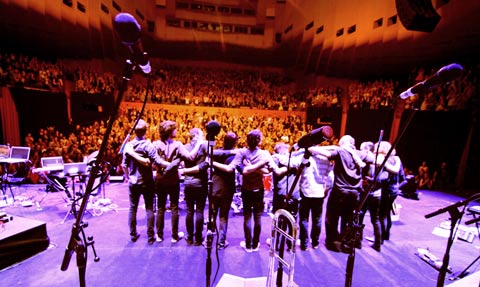
( More Gotye gig photos )

The Graphic Arts festival

Awesome choice for tour opener – showcasing an album and animations within a festival dedicated to comics. Graphic Arts had some great highlights this year:

– Jim Woodring, the author of FRANK, did a pretty mind-expanding talk on DEATH-CAKE apparently, and fantastic inking masterclass (attended by comic-friend Gregory Mackay (Francis Bear)).

– Tekkon Kinkreet – fantastic animated film – with accompanying live soundtrack by Plaid (Warp) + Fourplay (strings) + Synergy (robotic rubber limbed percussionists). Really luscious sound, really luscious film.

– Silent Comics – a series of comic panels projected while musicians provide a soundtrack. This included sound foley artists, Captain Beefheart-esque carnival bands, Seekae, Wally from Gotye in splinter-sample mode, and probably nailing it best, Plaid. Great idea for a session.

– Scott McCloud – from ‘Understanding Comics’ (also used as a multimedia bible in explaining media and visual storytelling concepts ) did a great one hour presentation, which harnessed visual support material as effectively as you’d hope a guy like him would. Lots of interesting points, though I found myself laughing at his interface observation-  “Why does Tom Cruise need a glove to do all that in Minority report?”. He also ended with this pretty funny reading of a scrolling comic that involved monkeys mutating into progressively crazier proportions.

– Pete Kuper – aka the guy who did Spy Vs Spy from Mad magazine.

– An assortment of Aussie comic artists doing talks and workshops – including Mandy Ord, Pat Grant and more.

Sadly Robert Crumb wasn’t part of the mix – but I was amused to learn from the Festival organiser about the communication process they had – “Yes, Robert uses email, but that involves….” –  his assistant scanning his recent emails, printing the interesting ones, highlighting the relevant bits, cutting those out and putting them in an envelope and mailing them to Robert, who replies on the back with his pen. When he’s around.

by j p, August 25, 2011 1 Comment

Art, Technology and the Chihuahua

So a while ago I interviewed Fernando Llanos, a Mexican artist with a huge catalogue of artworks under his belt. Notably, this included the Videohuahua project – which involved a micro projector strapped to the back of his pet chihuahua. Turned out he was bringing a video blimp to Australia for the Splendour in the Grass festival, and was spending a few days in Melbourne afterwards – so we made plans to meet up.

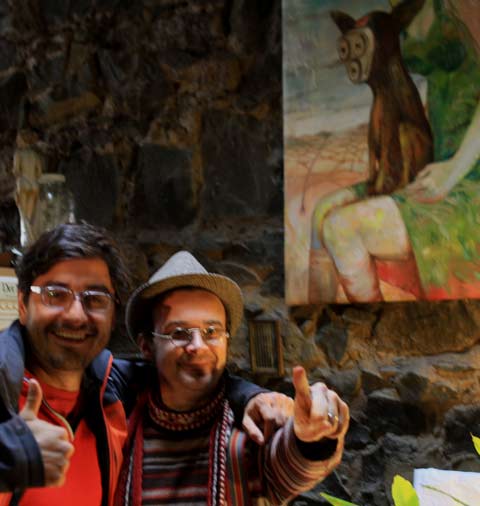
A couple of days later, I was introduced to Gonzalo who runs the enchanting Magic Lantern Studio ( 155 Brunswick St, Fitzroy, Melbourne ), which is filled with puppets, optical illusion and vintage pre-cinema moving image devices. At some point I noticed he had a few paintings of chihuahuas on the walls, and we got talking about them – and then I mentioned Videohuahua – Gonzalo stared at me, then lead me laughing to his computer where he showed a series of paintings that feature chihuahuas with cameras strapped to their heads.

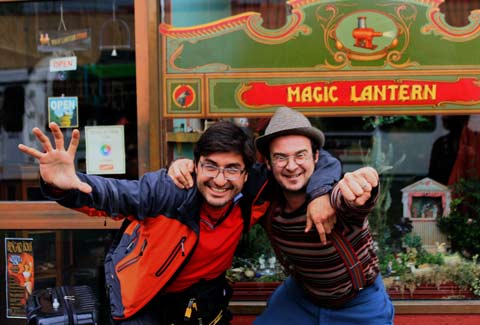
Inevitably Fernando’s Melbourne visit had to include a trip to Magic Lantern, where it turned out the art and chihuahua anecdotes flew thick and fast ( mostly in fast-forward Spanish). Below, Fernando on the left, Gonzalo on the right, in front of the shop and a painting of a chihuahua with an electric shaver as head. Photographed and blogged, so I can say, no, I am not making this up.

See also art, politics and the daschund.

by j p, August 15, 2011 1 Comment

Pattern Machine At Cockatoo Island, Underbelly Arts 2011

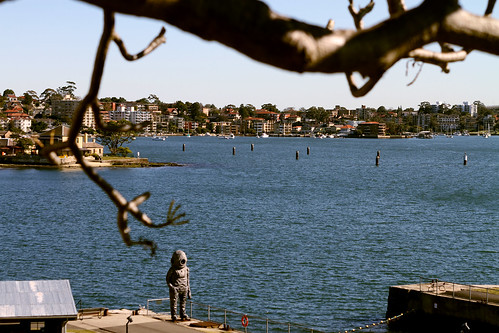
AbovePattern Machine, the fruits of a recent fourway collaboration in a weeklong residency on Cockatoo Island ( a former prison and shipbuilding yard in Sydney Harbour), during the 2011 Underbelly Arts Festival.

By the end of the week, after much tech configuration, island sampling*, and software wrestling, we’d concocted a work in progress that was deemed seaworthy enough for 3 x 45 minute audiovisual sets during the public exhibition night. And during that day the space was filled with people wandering around the inflatable sculpture, while cocooned by a generative surround installation busy mutating captured island sounds into new species. Turns out the accumulated ferry rides, nautical rust and winter winds were worth enduring in the end, as the performance seemed to go really well, much of the pieces falling into shape on the very last evening before the event.

For myself, it was very satisfying to have an opportunity to explore video composition in a great setting, and in a more spatial way – using an external graphics card to send a different signal to 3 different projectors simultaneously, using madmapper to position and map the video from each of these, and having the luxury of returning each day to experiment with equipment that was already set-up. And it was super-satisfying to be doing that with…

These 4 People = Pattern Machine

Jean Poole: spatial video composition and live video manipulation with 3 projectors, vdmx, quartz composer and madmapper.
Dan MacKinlay + James Nichols: Quadrophonic soundscapes using field recordings, vintage synthesisers and heavily customised super collider patches. (They don’t have much vinyl, but their phd maths books weigh a tonne.. )
Sarah Harvie: inflatable sculpture, tailor designed for our space with lots of late night industrial sewing machine sweat.

(( *My Cockatoo Island photo set, Dan’s photo set, and Dan’s stereo field recordings. ))

Underbelly Artists Shout Out:

Aside from the audacious setting, part of what made the residency great was the motley collection of artists also spending time on the island, each struggling with their own peculiar set of problems to solve. And it was inspiring to see everyone’s work evolving over the week. This extensive  festival review gives a good taste of how the exhibition day unfolded, and these were some of my favourites:

Case Study – This was my pick of the bunch, 6 artists who had the aim of building a new colonial society in their allocated portion of the island. Which they built out of everything they brought in their suitcases, as well as using their suitcases themselves to build individual artist houses. There were telescopes and projected moons, ornate water features, mossy forests growing from open suitcases and test tubes, every step a new photogenic overload.

Younes Bachir and Strings Attached got the jaw-drop-spectacle medal – with their meat-suits, paint-splashy aerial choreography ( imagine a dozen people 4 storeys up dynamically moving about in space ) and flair in abundance. ( This gives a good taste of why it excited.. )

Brad Miller’s Data_shadow video installation was super-slick, an exploration of memory, technology and how lusciously you can make a database of photographs and video wander across 4 screens with motion detection cues from visitors. Biljana Jancic‘s wooden boxed shafts of light played beautifully with the smoke machines, silhouettes and the industrial space and  SWANBRERO used inflatable car sales dancers to great effect in their piece – INFLATE MY HEART WITH 1000 GUSHES OF WIND .

by j p, August 5, 2011 0 comments

Madmapper Review

Video it would seem, is slipping from the screen into the world around it. Increasingly we expect to see pixels sliding around us in three dimensional space – dripping down heritage building facades, climbing across weird geometric clusters surrounding a sound system, illuminating the edges of random urban infrastructure. Although we’ve long held the ability to use software for custom tailoring projections to suit specific shapes, Madmapper seems to have struck a chord because it arguably makes the process easier and more intuitive than anything else before it. (Above image: Madmapper makes easy work of industrial machinery at Cockatoo Island, during preparations for the Underbelly festival. More images. )

Vat Ist?
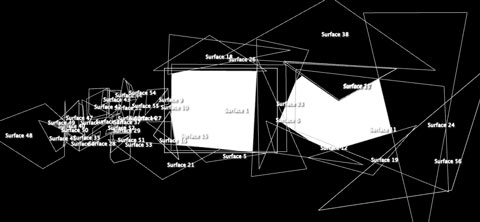
At its simplest – Madmapper is software for mapping textures to surfaces. This approach presumes the textures have been created elsewhere, or are being created elsewhere in real-time and piped into Madmapper. This avoids unnecessarily cluttering or slowing down the application, and allows Madmapper to focus purely on techniques for aligning textures onto surfaces. It’s a recipe which seems to serve it well, although means the application can at times seem undercooked when looking around for functions you’d expect in video software, that they’ve decided are best dealt with elsewhere. Below, the madmap used for the triple projector image up top.

The Basic Ingredients
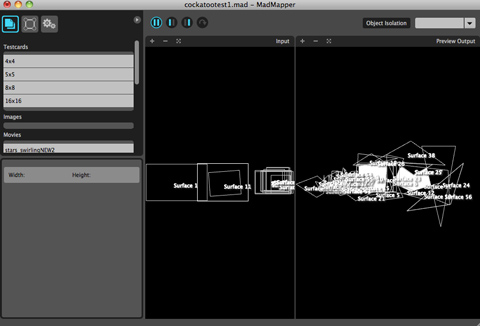
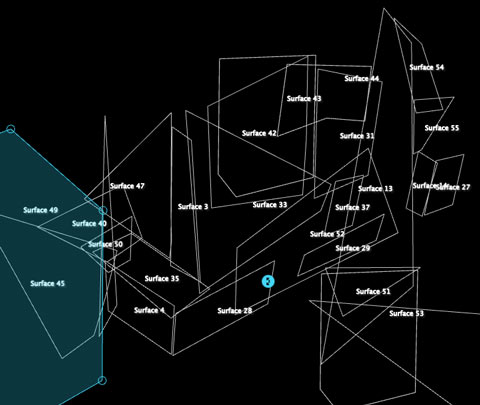
That purity of focus is immediately evident in the spartan split-screen interface. In the left hand column, we get the ability to choose our source material textures ( real-time video from other software via Syphon, or images and movies drag and dropped into the column ). On the right side we can see what our textures look like, the shape of the surfaces they are going onto, or textures and surface side by side. Within that, there’s a careful attention to detail which makes the mapping process as seamless and non-complicated as possible. Below, zooming into the interface, first the triple screen map, then a closer view of the map for the industrial machine.

Interfacing
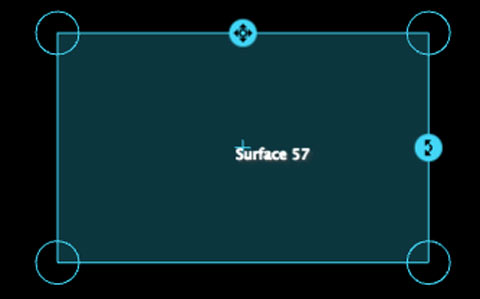
There’s a lovely level of refinement to the Madmapper interface – it’s simple, but it works as you’d expect, and sometimes better. For example, click-dragging the corner of each surface to skew it in a direction isn’t too remarkable, but by pressing the left, right, up and down arrows on a keyboard, that corner is nudged in tiny increments – perfect for tiny alignment adjustments. No weird menu bottlenecks, it’s just there in front of you. Click on the surface inside the corners and the arrows move the whole surface pixel by pixel, and for the surface’s very handy scale and rotation buttons, the arrows again provide incremental help.

Bonus Features?
Plug in a camera and use Spatial Scanner to turn your video-projector into a 2d scanner.
Grid warping ( similar to mesh warping in After Effects )
Ability to use existing photographs as a preview background, to test out a mapping design.
Ability to export your image as a PDF.

What’s Missing?
Sitting in a dusty warehouse with a projector pointed from a weird angle, projecting onto a weird industrial shape – is a fairly good test of it’s versatility, and once you get wrestling with very specific problems, it becomes evident how well thought through their interface and features are. On the other hand, this almost elegant sophistication makes it all the more jarring when some things are missing – Madmapper can feel a little too minimal at times – especially given its price.

Wishlist?
– an ability to create bezier curves
– ability to create lines or circles ( it only includes capacity to create triangles, squares and polygons )
– no ability to set shortcuts for keys / midi to trigger features, fade to black etc.
– no ability to switch between presets.
– can only receive one Syphon source ( it’s possible to provide multiple sources by making a collage in other software, but it seems like work that could be avoided )
– being able to control aspects of surfaces such as colour or outlines. Madmapper prefer that to be done elsewhere, but this would very conveniently streamline some aspects of mapping onto shapes.

(To their credit, some of these features are listed in their help forums for inclusion within future upgrades. )

Performance?
Given that the surface transformation ninja moves are likely happening on the graphics card, Madmapper seems to add hardly any major dent when running on top of VJ software. Haven’t seen a single crash yet and all of the interface seems really responsive.

Requirements?
An Intel Mac running Mac OS X Snow Leopard 10.6.
To use the Spatial Scanner function of MadMapper, you’ll need either a QuickTime compatible Firewire camera
or Canon camera models that are compatible with the Canon EDSDK.
MadMapper v1.0 license for 2 computers €299
MadMapper v1.0 license for 2 computers for of owners of an existing Modul8 2.6 license €199
Educational pricing is also available.

Support?
Aside from their forums, Madmapper have cleverly published a series of very thorough tutorials that stretch from the basics through to integrating with a variety of VJ software, and detailing some quite sophisticated processes. In particular, a shout-out is needed to this post that deserves a parallel life on an avant garde architecture blog: Turn A Building Into A Giant Equalizer. See also: Using After Effects to prepare a map for a detailed building.

Overall?
There are other free and paid software choices for projection mapping, but the elegant focus of Madmapper minimises the amount of time spent bogged down in complicated processes. It’s expensive software, but by removing some of the technical barriers, it opens up projection mapping to ever more complicated futures. Super-like.

by j p, July 15, 2011 3 Comments

Triple Screenage To Go!

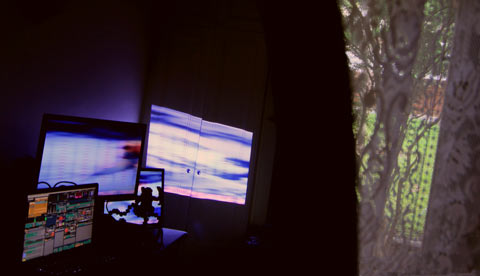
Above, after much hair-pulling : VDMX merrily sending out 2400 x 600 pixels across 2 screens and 1 projector, via the set-up below.

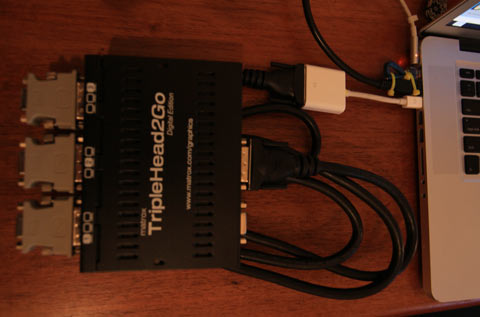
ie – 2010 Macbook Pro –> mini display to DVI convertor –> DVI cable –> Matrox Triplehead2go Digital Edition –> DVI to VGA adaptors x 3.

According to Matrox, only the Triplehead2go DP ( Display Ports in/out) edition is compatible with the 2010 Macbook Pro. I wasn’t able to get that to send a signal to projectors, using display port to VGA adaptors. The DP-VGA adaptors by themselves worked fine on the ends of other cables, but when put after the TH2GO DP box, no signal. Weird science.

[[ UPDATE : Finally got Triplehead2go DP edition working with DP to VGA… with some new DP to VGA *active* adaptors. These adaptors apparently come in active and passive flavours, and active is needed. The previous batch of adaptors I’d received from ebay were supposedly active, but didn’t work. I found some others locally recently, and they worked fine. Seemed capable of 3 x 1280 x 720 and 2 x 1920×1080 without a problem. Didn’t try 3 x 1080P because of the projector set-up.]]

Was just about to sell the older Matrox Digital Edition, which ended up incompatible with my last machine, but aaaaaanyways. THREE SCREENS OUT. And with less than 3 hours til airport-to-Sydney time, for tomorrow’s video installing on Cockatoo Island, this is a good thing. Also good – the holy software trinity of VDMX, Syphon + Madmapper all worked perfectly across the 3 screens.

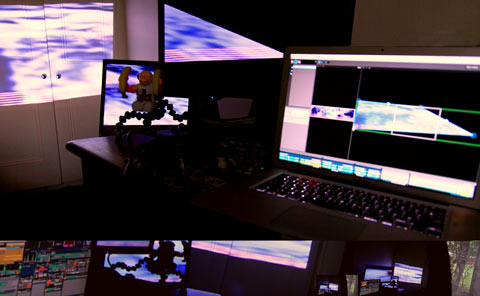
Below, Madmapper stretching across screens, even as computer leads are being stolen away from it and shoved into a bag.

by j p, July 9, 2011 11 Comments