Partially, the skynoise part of my brain has been ant-eaten away by the likes of twitter.
There’s also a whole bunch of almost-ready posts waiting to be covered in finishing sauce :
- CoGe review (including an interview with Tamas Nagy)
- VDMX 5 (Beta 8 ) review ( it is now 10 years since I reviewed VDMX 2, including a tiny interview with Johnny DeKam )
- Web Aesthetics by Vito Campanelli, book review
- Art Rage Pro Review
- Sydney Film Festival + Melbourne Film Festival reviews
- another Quartz Composer tutorial / set of links + observations
- science fiction books set in the non-anglo world
- reflections on touring with Gotye..
Expect those to start trickling through in January. And after that, probably occasional longer form pieces on current obsessions, and more with images and video, less of the pop cultural snapshots. That said – everything about 2011 was probably covered in David Weinberger’s amusing top ten list of top ten list of top ten lists. And as Umberto Eco reckons, liking lists is part of the human condition.. we face infinity and our mortality by making lists / catalogs / encylopedias / museum collections etc .
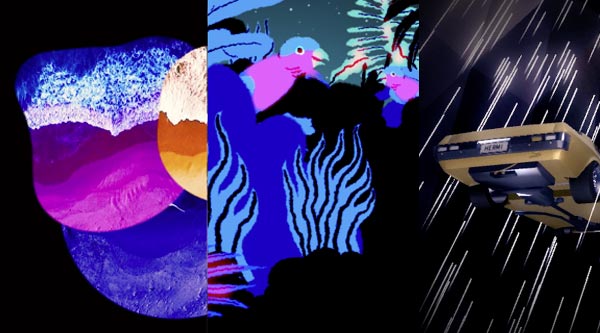
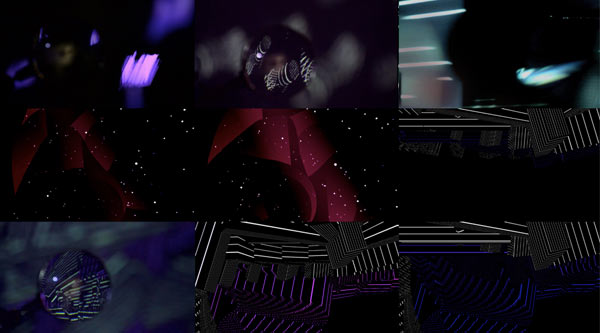
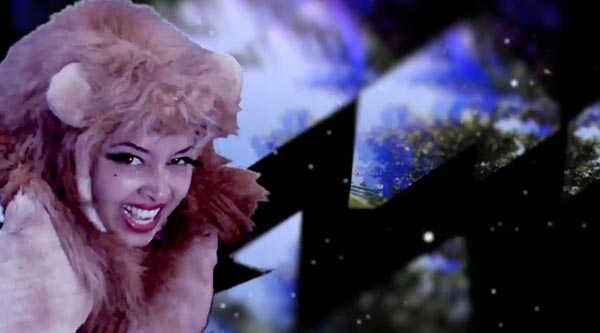
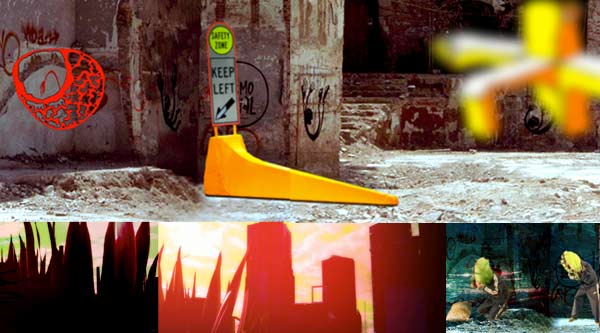
This week’s mission – finish off a video clip for Congo Tardis, using wobbly green screen footage sent by their charismatic guest vocalist, Marawa the amazing.
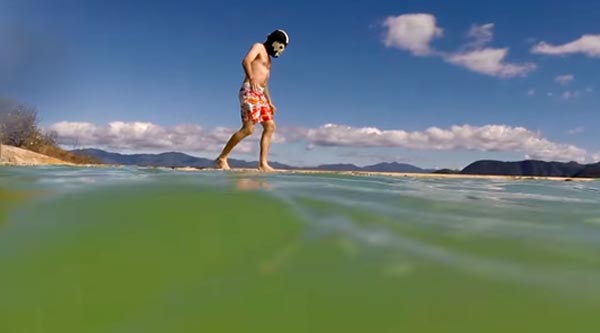
*PRIMATE-FIST-BUMPS*
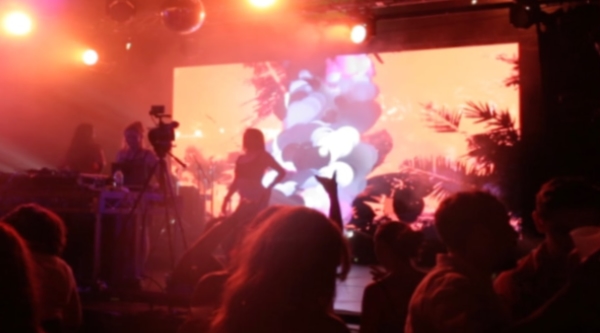
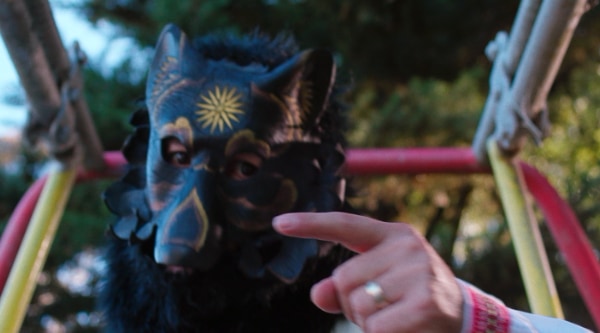
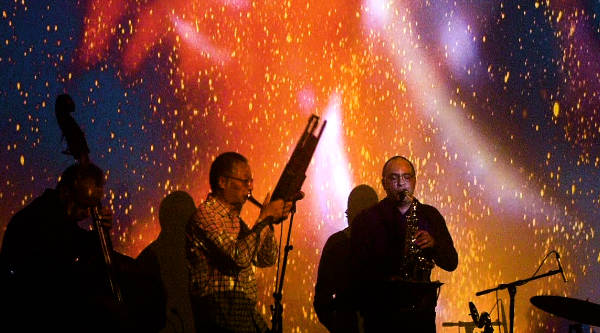
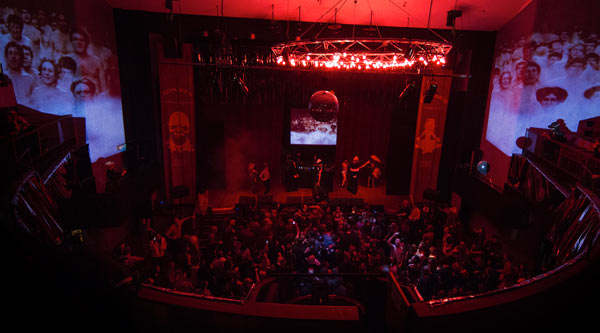
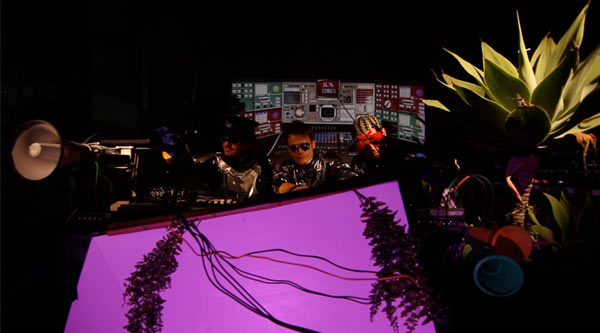
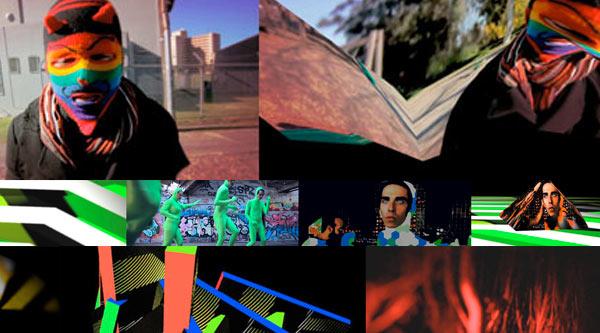
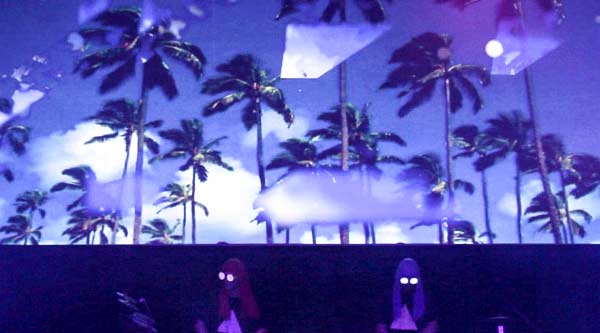
(( PS. The duo above, aping the Gotye bodypainting filmclip with 35 million views(!!), were wandering around at the 2011 Peat’s Ridge festival, and they became a pretty apt 2012 countdown backdrop on the big screen.. ))
Reasons you might find yourself wanting to read this very long but very awesome Raquel Meyers interview:
- Because you love 8bit graphics and people who push them to their limits
- Because Raquel makes rad stuff ( eg her recent DVD of ‘fighting washing machines and killer lego ducks’, full of videoclips, remixes and collaborations with chiptune musicians and pixel pushers – Useless Yet Crucial).
- Because you want to find out about her ascii storytelling experiments with the C64 shredding musician Goto80.
- Because you love reading about how artists wrestle with their processes.
- Because you need a crazy and wonderful collection of visual links in your day.
Who knows, but I hope you enjoy these responses as much as I did. Thanks Raquel~!
- What’s inspiring you these days?
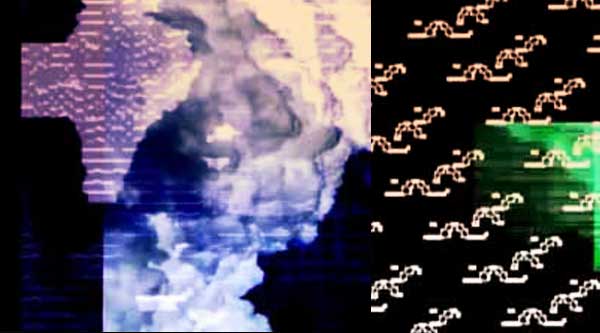
At the moment I am experimenting with storytelling and text-based graphics like Ascii, Ansi, Petscii and Teletext with Goto80. I’ve changed both the tools and the purpose of what I’m doing during the past months. I guess what I’m doing now is formally similar to text adventures, cartoons, silent movies, text art, demos…
I’ve been mostly inspired by animations and short movies from the 20th century, like “Little island”(1958) by Richard Williams or “Cowboys”(1991) by Phil Mulloy; and also, children’s books. Because of the brutal style of the “Simple storytelling”, the combination of a drawing plus a short phrase who builds a full dream up. This one makes me think about 2 frames animation, and how something simple it become even more brutal, especially working with the C64.
In the case of the short movies, the animation comes before the music, so the video is not the slave of the music (music video style). Sound effects increase the tension and the verve of the animation, and could be use in a shorter way like an interlude, or something longer. But the main thing is the story behind it, whit out it you cannot go further.
A cinematic new age terror is coming!. It operates in text mode, only using characters of the Commodore 64 and Amiga. This applies both to the graphics and the music.
[[ EDIT:Terror is now live - witness “2SLEEP1”, a "66-minute playlist of audiovisual performances in text mode, designed to make you fall asleep. Press play, go fullscreen and lie down. Made by Raquel Meyers and Goto80." screenshots below:]]
- What hardware and software do you use to create your animations?
I use several computers. A C64 with Letter Noperator and DigiPaint. An Amiga 1200 with DPIV, Brilliance, Prism and also an Amiga 600 provided by Archeopterix. A PC and Mac, with Flash, Photoshop, video editors and the (unreleased) petsciibrush software made by Linde. Soon I will add a Teletext device.
I’m not a gear freak. I don’t really care about the tools. I used to work primarily with Flash and Photoshop, which was a pain in the ass for the things I was doing. But I still liked it. Now I use old things (Amiga and C64), and that’s also quite painful sometimes. So to answer the question – I blend old and new technologies. It doubles the pain!
I am not a purist, I am a blender.
- How much of your creative process is defined by the limitations of such technologies?
I prefer to talk about possibilities instead of limitations. I think the technology is not the limited one, is the human behind it. It doesn’t matter how old or new the technology is, there is always something new to discover and learn. It’s not a such a big thing to use old technology, it doesn’t make everything more special, different or better. In my case, I use it because I like it.
But the things I do in Flash are different from what I do on C64. So the process is different. But I don’t really like to think too much about those things.
- Is there some cut-off line for retro computer graphics, where they are too new for you to use? What is it about 8-bit that manages to sustain appeal for you?
At least not for me, I’m not interested in the retro version of 8-bits, so I don’t think about if something is too new to use or not.
I remember playing pong with my brother in the TV console, meet my friends at ‘ la sala de máquinas’ and how I had stuck in my head every night before going to sleep the Tetris song. I grow up with arcade games and graphic adventures but, it wasn’t until 21 century when I discover a C64 music archive on Internet, and all these memories becomes something else because of the music.
It wasn’t a revival, it was something else, the imaginary frame in my head that before was a picture now become pixels looking for to be animated.
I don’t really know, but I think what keeps my interested in 8-bit is the brutalism. Big blocky objects, raw animation techniques, few frames, cuts, etc. I think it’s better if the animation method is brutal, because then it contains so much more than with some detailed video where there’s less room to think on your own.
- What do you find interesting about making live visuals versus production work?
A Live Performance is always open to improvisation and mistakes, meanwhile production work is always under control in the time line. You can rehearse or planning live visuals but at the end you don’t know what is gonna happen. Is really fun put yourself in a non control mode, keeps the spark. And since I don’t really use VJ-software to perform, it’s always a challenge.
- What work have you done on combining and compositing 8-Bit and recorded video together?
As part of Entter (2000-2007), the video clip Fantasy’ by Goto80, and ‘Dietetic Music’ by Eat Rabbit with graphics from Otro. Both of them were my earliest works in the 8-Bit, 2004 and 2005. Based on video recordings and post-production. In latest video clips, I mixed photo animations and graphics like the ‘Droidduck’ by Psilodump (2010), ‘Pink Snow’ by La belle Indifference (2010) and ‘Polybius’ by tr1c3 (2010), based on the main live cinema project ‘Polybius’ with Goto80. Also parts of the vj set contains video and graphics mixed. The reason of that is because my first background was Analog photography. I started when I was 14 years old, with black & white films and experimenting in the lab. The first thing jumping in my mind is always a static picture, a frame. My work is based in the movement or animation of such frames.
- Can you describe your AV set with musician Goto80, Polybius? ( and your aims behind it?)
Polybius …. the idea came from a post I read in my brother’s blog in 2007. The post was about an urban myth about an arcade game from the 1980s (Polybius) that created a sensory and cognitive deprivation in its users. So I started to talked with Goto80 about it and how much I would like to do something with it and with him. The basic idea was explode the links between fiction and reality by encouraging a loss of senses. But it was not until 2009 when the french collectif ‘Homemade’ invited me for a 2 weeks residence at Le maki (Angoulême, France) when the Polybius experience become something else tahn talks. I developed there a first 20 min version, using a ‘cute’ character like a rabbit to hide my really epileptic and apophenic purpose, and Goto80 was working in the audio online from Sweden. The project was officially presented at the Cimatics festival the same year.
In the beginning of the 2010 we develop together in Berlin the second version who combines line vector aesthetics with video manipulation and 8-bit technology to induce feelings of apophenia, amnesia and panic. The Polybius experience – invented and created by us in the form of a white rabbit with a sectarian-politonic-track to be stuck in your head.
- What’ve been the challenges of developing that, and what has worked or not, when performed live?
One of the biggest challenges was working in the distance via Spain-Berlin-Sweden thought Internet. Because we build the project together from the beginning and sometimes was really difficult to define and create the content without being in the same place. When we presented the project at Cimatics, we realized we need to meet physically to develop a second version and special place to performed it, out of the club experience. So in the beginning of 2010 we meet in Berlin for a week to prepared the second version, because we were invited by the PlazaPlus Festival in Eindhoven NL to performed it in january. We made a special pass before for the visualberlin collective at fh.meppen (Berlin) to test the extended version of 32min and got feed-backs from the public. The third and last version is pending, who icludes the physical game and an installation. But for this we need budget and maybe a residence to develop it. It’s one of the most complicated projects I have ever done.
- To what extent are you able to adapt the visual side of that with each performance?
My set is manual. To be able to adapt to whatever happens in the live performance. Before I was only using one laptop running an aplication who host all the visual content (graphics, animations, videos …) controlling by hand with the keyboard. So the rhythm was build in the way I click on the keyboard and load the different content. Now I’m working in a new set, who consists in a C64 and an Amiga, still in process, so I used the laptop as extra support with the same technic. A video mixer is used to change the sources, but there is not so much effects involve. The thing that takes more time is making all the animations, graphics and videos. I only used my own material, and always try to made a special set for each performance.
- Have your computer / animation processes ever entered / filtered / affected your dreams in any way?
Yes it does, because I listen so many times the songs when I’m working with it and also I dream with the animations. But ‘Polybius’ was something really insane, I had one of the tracks stuck in my head, like a trance mode to my own sense deleting experience.
- At the ‘Artists-Who-Inspired-Raquel Meyers’ Award Ceremony, who gets the following awards?
- Visual artist who most steps outside the echo chamber of contemporary styles?
Nam June Paik, the retrospective exhibition ‘The Worlds of Nam June Paik’ in 2001 at Guggenheim Museum Bilbao I saw, put him for me in this category, like the “Magnet TV”.
- Visual artist with the most exquisite and hard to understand technique?
Poison, I know the technique, but is not enough, because even if you use the same software you cannot have the same results. As PETSCII graphician was really impress how he made ’2frames’ animations and graphics for the C64.
- Visual artist who best gets under your skin? ( transcends technique to grab your emotions ? )
Otromatic, he is my favourite 8 bit graphician. He become one of the reasons why I start to make Lo-fi graphics and animations.
- Best coherent, integrated audiovisual act?
Gangpol & mit. Really impressive performance, one of my favorites. I really enjoy the animations.
But wait, there’s more:
This is something really difficult to do because inspiration doesn’t come only from visuals. They are so many things involve in this process. Here there is some of them, older and newer inspirations:
- Visions of Frank. The dreamlike world of ‘Frank’ a comic by Jim Woodring converted in animations.
- Jan Švankmajer and his surreal animations like ‘Meat Love‘.
- Professor Balthazar, a cartoon series for children, created for television by the Croatian animator Zlatko Grgić. Watching this as a child build a surreal imagery, who come up when you become older.
- Poison, C64 graphician. The ‘Notemaker Demo II‘, all you can do just typing characters.
- Bernd and Hilla Becher and their industrial buildings photographies. The motives of my early photographies were the factories buildings from my hometown at night when I was 15 years old.
If you’ve watched The Century of Self, The Power of Nightmares – or really, any series by Adam Curtis, (this could keep you busy for a while), then you’re aware of his formidable skills in crafting a compelling documentary. Fans have probably already seen his eagerly awaited most recent series, All Watched Over by Machines of Loving Grace, which claims that computers have failed to liberate us and instead have “distorted and simplified our view of the world around us”. Once again we find Curtis swinging his sword at the notion of power in the twentieth century, slashing his way through the deepest undergrowth of the BBC archives along the way.
As always, his arguments focus on the emergence of significant ideas in the past, from where he traces a path – to how they’ve impacted the world today. And so, he explores the effects of Ayn Rand‘s ideas on American financial markets, looks into the selfish gene theory which holds that humans are machines controlled by genes, and examines how “the ‘ecosystem’ myth has been used for sinister means”. It’s fantastic as televisual essay, even if that essay repeats bits of his other essays, and occasionally feels like he may be stretching a point or ignoring others – so that his narrative threads can stay intact.
As ever, music features prominently (and if you like his style of music heavy editing, you try his even more musical co-production with theatre company Punchdrunk, It Felt Like A Kiss, featuring music composed by Damon Albarn from Blur.)
It also has an episode titled: “The Monkey In The Machine, and the Machine in the Monkey”.
Narrates Ben, over the top of some creative commons licenced footage:
“This is a short film about a documentary film maker who made critically lauded films for the BBC, and about how, along the way, he proved that style always triumphs over substance. In 1992, a strange and brilliant That’s Life researcher with a Skinny Puppy CD embarked up on a career producing documentaries about how ideas can spark social movements. Adam Curtis believes that 200,000 guardian readers watching BBC2 can change the world. But this was a fantasy. In fact, he had created the televisual equivalent of a drunken late night wikipedia page with pretensions to narrative coherence.
Combining archive documentary material with interviews, Curtis filled the gaps by vomiting grainy library footage to the screen to a soundtrack Brian Eno and Nine Inch Nails. He had discovered, that it did not matter what footage he used, so long as he changed the shots so bewilderingly fast that the audience didn’t notice the chasm between argument and conclusion. This was especially effective when he simply cut the music mid-bar.”
Riding a bicycle downhill to the studio today – with blues skies all around – really felt like spring arriving. Winter seems to take longer to leave Melbourne than anywhere else in Australia, which is maybe why there’s so many visual art events crammed into the wintery months here. Samplers:
This grows nicely each year, transforming lots of shopfronts and buildings in Gertrude st for a week. Above, a nicely mapped facade by Olaf Meyer. There was apparently a pretty good opening night party of projections, which I missed due to projecting elsewhere for the Scattermusic label launch party. Below, a mapped sculptural piece by studio neighbour, Kit Webster, alongside a fancy dress store where peering into a camera projected your face onto that of a shopfront scuplture. (More projection photos).
I went to this because local video artist Lucy Benson, now in Berlin, had a hypnotic piece in it - ’Gotta Sleep now’, but my camera phone couldn’t really capture her shimmery work. Below, a sculpture that nicely incorporates video and little people. Can’t figure out from the event page who actually made it though, maybe you can. Nice idea for an exhibition, and great to see the different interpretations of the tracks.
Hadn’t even heard of the warehouse venue Nosaj was playing at – Revolt – and arrived to a building crazily decked out with technical and bar infrastructure, including pyramid mapped video sculptures by Kit in the distance. Came complete with a 90s black light chill out room. The Nosaj set was great, the rest of it got a bit wonk-saturated after a while.
Audiovisual Performances
Zeal and Time Shield have been steadily honing their AV performances around town, and recently Zeal invited me to do an AV set at Bar Open in support of his threepiece Virtual Proximity (see above). I was quite happy with this set, playing with some ambient music, ocean footage and quartz patches in VDMX. Elsewhere, Sampology came down from the subtropics to do an AV show, and Naysayer and Gilsun more recently launched their new AV set. There be audiovisual things happening. (Often at Racket – first thursday of each month at Miss Libertines in the city, and Plug N Play – last Thu of each month at Kent st bar, Fitzroy. )
MÖBIUS from ENESS on Vimeo. This ‘collaborative stop motion scuplture’ was the brain child of Benjamin Ducroz, an extension of his work with time lapse and physical sculpture – this time using lots of help from public volunteers in rearranging the pieces over and over throughout the day.
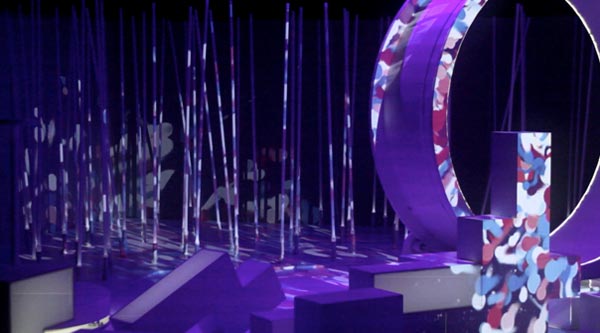
Above : sample of recent projection experiments with triangular screens made from nursery store bamboo, white lycra and gaff tape. After explorations in Sydney, I’ve been keen to continue playing with fragmented screens and composing video throughout a space. This is all made more interesting with the extra flexibility that a triplehead2go graphics card brings ( portions of panoramic output from one laptop to 2 or 3 projectors ), as well as Madmapper for easily and precisely aligning pixels to fit screens / objects / spare wall spaces etc. The Madmapper folk have been releasing an inspiring set of very detailedtutorials too, as well as pretty useful add-ons.
End result: Lots of fun – and a new set of challenges to deal with. Spatial composition with video is getting easier and easier, and as we outgrow the novelty of seeing buildings lit up / architectural deconstruction by light, there’s such ripe terrain to explore with today’s software. And as the barriers to entry continue to lower, it’ll be the imaginative approaches that prove most successful.
[[ Oh yeah - and that video - not a manifesto for spatial video by any means, just some example snippets from a fun night with the Scattermusic Sound System.. still getting my head around how this can all work well. And there be photos too. ]]
Things you may already know about the Sydney Opera House:
- It is slowly sinking.
- The Danish architect behind it, Jorn Utzon, was forced from the project, and never returned to Australia.
- Anti-war activists climbed it to paint ‘No War’ XL in 2003.
- The legendary comic artist Robert Crumb was supposed to speak there as part of the 2011 Graphic Arts festival, but cancelled after an inflammatory Murdoch article was posted about him.
After doing live video for 2 shows there last weekend with the Gotye band, I can add to that list:
- It is a rabbit warren under the sails.
- The salad sandwiches in the green room are very ordinary.
- The elevator under the concert stage is faulty (I was trapped there with a weary tech guy for 5 tense minutes.. )
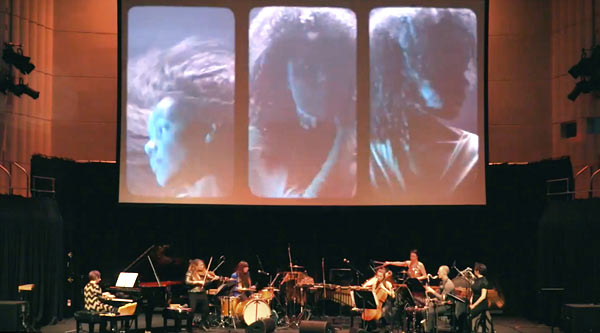
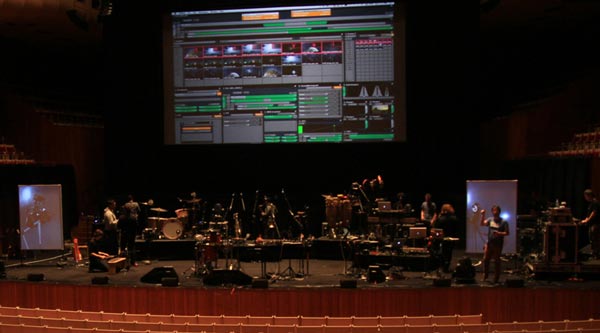
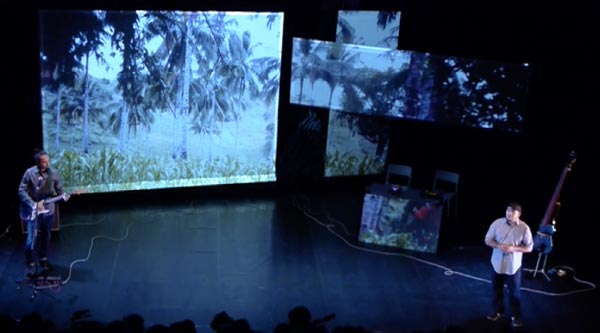
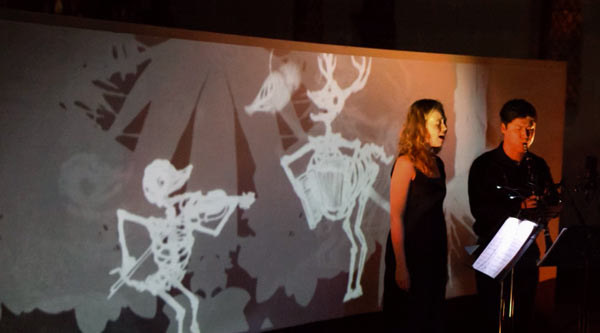
I got roped in to do live video for Gotye’s tour for his just released Making Mirrors album, which has accompanying animations for most songs. There’s some pretty nice work amongst it – I’ll have to do a follow-up post soon with links to all the animation houses. For me, my work is mostly editing and formatting to suit the main screen and 2 vertical side screens, then while the band plays – triggering short sections of these clips to ensure the right visual moments are synchronised with the band playing live.
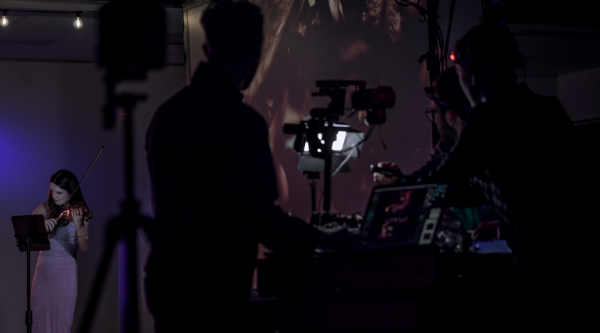
Despite an almost comical list of headaches – long fog delays at Melbourne airport, animations arriving at the last minute, software quirks, a compressed set-up time, hardware quirks, that elevator(!) and so on – the first shows of the tour ended up running really well. Having a crack team of musicians (and tech folk) definitely helps in that regard (including Tim Shiel aka ‘Faux Pas’ beside me onstage). Below, the band and my hard-drive covered laptop during sound / vision check at the Opera House.
And the VDMX interface spreading its wings up on the screen briefly during rehearsal.
Awesome choice for tour opener – showcasing an album and animations within a festival dedicated to comics. Graphic Arts had some great highlights this year:
- Tekkon Kinkreet - fantastic animated film – with accompanying live soundtrack by Plaid (Warp) + Fourplay (strings) + Synergy (robotic rubber limbed percussionists). Really luscious sound, really luscious film.
- Silent Comics – a series of comic panels projected while musicians provide a soundtrack. This included sound foley artists, Captain Beefheart-esque carnival bands, Seekae, Wally from Gotye in splinter-sample mode, and probably nailing it best, Plaid. Great idea for a session.
- Scott McCloud – from ‘Understanding Comics’ (also used as a multimedia bible in explaining media and visual storytelling concepts ) did a great one hour presentation, which harnessed visual support material as effectively as you’d hope a guy like him would. Lots of interesting points, though I found myself laughing at his interface observation- ”Why does Tom Cruise need a glove to do all that in Minority report?”. He also ended with this pretty funny reading of a scrolling comic that involved monkeys mutating into progressively crazier proportions.
- Pete Kuper – aka the guy who did Spy Vs Spy from Mad magazine.
- An assortment of Aussie comic artists doing talks and workshops – including Mandy Ord, Pat Grant and more.
Sadly Robert Crumb wasn’t part of the mix – but I was amused to learn from the Festival organiser about the communication process they had – “Yes, Robert uses email, but that involves….” – his assistant scanning his recent emails, printing the interesting ones, highlighting the relevant bits, cutting those out and putting them in an envelope and mailing them to Robert, who replies on the back with his pen. When he’s around.
So a while ago I interviewedFernando Llanos, a Mexican artist with a huge catalogue of artworks under his belt. Notably, this included the Videohuahua project – which involved a micro projector strapped to the back of his pet chihuahua. Turned out he was bringing a video blimp to Australia for the Splendour in the Grass festival, and was spending a few days in Melbourne afterwards – so we made plans to meet up.
A couple of days later, I was introduced to Gonzalo who runs the enchanting Magic Lantern Studio ( 155 Brunswick St, Fitzroy, Melbourne ), which is filled with puppets, optical illusion and vintage pre-cinema moving image devices. At some point I noticed he had a few paintings of chihuahuas on the walls, and we got talking about them – and then I mentioned Videohuahua – Gonzalo stared at me, then lead me laughing to his computer where he showed a series of paintings that feature chihuahuas with cameras strapped to their heads.
Inevitably Fernando’s Melbourne visit had to include a trip to Magic Lantern, where it turned out the art and chihuahua anecdotes flew thick and fast ( mostly in fast-forward Spanish). Below, Fernando on the left, Gonzalo on the right, in front of the shop and a painting of a chihuahua with an electric shaver as head. Photographed and blogged, so I can say, no, I am not making this up.
By the end of the week, after much tech configuration, island sampling*, and software wrestling, we’d concocted a work in progress that was deemed seaworthy enough for 3 x 45 minute audiovisual sets during the public exhibition night. And during that day the space was filled with people wandering around the inflatable sculpture, while cocooned by a generative surround installation busy mutating captured island sounds into new species. Turns out the accumulated ferry rides, nautical rust and winter winds were worth enduring in the end, as the performance seemed to go really well, much of the pieces falling into shape on the very last evening before the event.
For myself, it was very satisfying to have an opportunity to explore video composition in a great setting, and in a more spatial way – using an external graphics card to send a different signal to 3 different projectors simultaneously, using madmapper to position and map the video from each of these, and having the luxury of returning each day to experiment with equipment that was already set-up. And it was super-satisfying to be doing that with…
Jean Poole: spatial video composition and live video manipulation with 3 projectors, vdmx, quartz composer and madmapper. Dan MacKinlay + James Nichols: Quadrophonic soundscapes using field recordings, vintage synthesisers and heavily customised super collider patches. (They don’t have much vinyl, but their phd maths books weigh a tonne.. ) Sarah Harvie: inflatable sculpture, tailor designed for our space with lots of late night industrial sewing machine sweat.
Aside from the audacious setting, part of what made the residency great was the motley collection of artists also spending time on the island, each struggling with their own peculiar set of problems to solve. And it was inspiring to see everyone’s work evolving over the week. This extensive festival review gives a good taste of how the exhibition day unfolded, and these were some of my favourites:
Case Study - This was my pick of the bunch, 6 artists who had the aim of building a new colonial society in their allocated portion of the island. Which they built out of everything they brought in their suitcases, as well as using their suitcases themselves to build individual artist houses. There were telescopes and projected moons, ornate water features, mossy forests growing from open suitcases and test tubes, every step a new photogenic overload.
Younes Bachir and Strings Attached got the jaw-drop-spectacle medal – with their meat-suits, paint-splashy aerial choreography ( imagine a dozen people 4 storeys up dynamically moving about in space ) and flair in abundance. ( This gives a good taste of why it excited.. )
Brad Miller’s Data_shadow video installation was super-slick, an exploration of memory, technology and how lusciously you can make a database of photographs and video wander across 4 screens with motion detection cues from visitors. Biljana Jancic‘s wooden boxed shafts of light played beautifully with the smoke machines, silhouettes and the industrial space and SWANBRERO used inflatable car sales dancers to great effect in their piece - INFLATE MY HEART WITH 1000 GUSHES OF WIND .
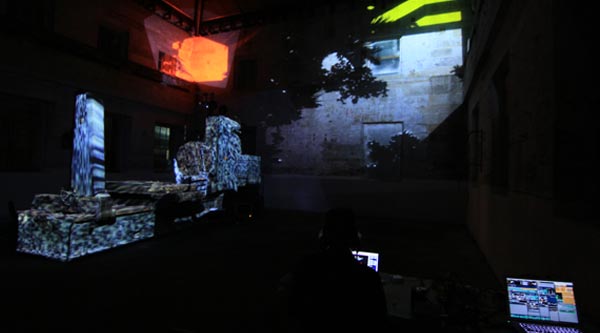
Video it would seem, is slipping from the screen into the world around it. Increasingly we expect to see pixels sliding around us in three dimensional space – dripping down heritage building facades, climbing across weird geometric clusters surrounding a sound system, illuminating the edges of random urban infrastructure. Although we’ve long held the ability to use software for custom tailoring projections to suit specific shapes, Madmapper seems to have struck a chord because it arguably makes the process easier and more intuitive than anything else before it. (Above image: Madmapper makes easy work of industrial machinery at Cockatoo Island, during preparations for the Underbelly festival. More images. )
Vat Ist?
At its simplest – Madmapper is software for mapping textures to surfaces. This approach presumes the textures have been created elsewhere, or are being created elsewhere in real-time and piped into Madmapper. This avoids unnecessarily cluttering or slowing down the application, and allows Madmapper to focus purely on techniques for aligning textures onto surfaces. It’s a recipe which seems to serve it well, although means the application can at times seem undercooked when looking around for functions you’d expect in video software, that they’ve decided are best dealt with elsewhere. Below, the madmap used for the triple projector image up top.
The Basic Ingredients
That purity of focus is immediately evident in the spartan split-screen interface. In the left hand column, we get the ability to choose our source material textures ( real-time video from other software via Syphon, or images and movies drag and dropped into the column ). On the right side we can see what our textures look like, the shape of the surfaces they are going onto, or textures and surface side by side. Within that, there’s a careful attention to detail which makes the mapping process as seamless and non-complicated as possible. Below, zooming into the interface, first the triple screen map, then a closer view of the map for the industrial machine.
Interfacing
There’s a lovely level of refinement to the Madmapper interface – it’s simple, but it works as you’d expect, and sometimes better. For example, click-dragging the corner of each surface to skew it in a direction isn’t too remarkable, but by pressing the left, right, up and down arrows on a keyboard, that corner is nudged in tiny increments – perfect for tiny alignment adjustments. No weird menu bottlenecks, it’s just there in front of you. Click on the surface inside the corners and the arrows move the whole surface pixel by pixel, and for the surface’s very handy scale and rotation buttons, the arrows again provide incremental help.
Bonus Features?
Plug in a camera and use Spatial Scanner to turn your video-projector into a 2d scanner. Grid warping ( similar to mesh warping in After Effects )
Ability to use existing photographs as a preview background, to test out a mapping design.
Ability to export your image as a PDF.
What’s Missing?
Sitting in a dusty warehouse with a projector pointed from a weird angle, projecting onto a weird industrial shape – is a fairly good test of it’s versatility, and once you get wrestling with very specific problems, it becomes evident how well thought through their interface and features are. On the other hand, this almost elegant sophistication makes it all the more jarring when some things are missing – Madmapper can feel a little too minimal at times – especially given its price.
Wishlist?
- an ability to create bezier curves
- ability to create lines or circles ( it only includes capacity to create triangles, squares and polygons )
- no ability to set shortcuts for keys / midi to trigger features, fade to black etc.
- no ability to switch between presets.
- can only receive one Syphon source ( it’s possible to provide multiple sources by making a collage in other software, but it seems like work that could be avoided )
- being able to control aspects of surfaces such as colour or outlines. Madmapper prefer that to be done elsewhere, but this would very conveniently streamline some aspects of mapping onto shapes.
(To their credit, some of these features are listed in their help forums for inclusion within future upgrades. )
Performance?
Given that the surface transformation ninja moves are likely happening on the graphics card, Madmapper seems to add hardly any major dent when running on top of VJ software. Haven’t seen a single crash yet and all of the interface seems really responsive.
Requirements?
An Intel Mac running Mac OS X Snow Leopard 10.6.
To use the Spatial Scanner function of MadMapper, you’ll need either a QuickTime compatible Firewire camera
or Canon camera models that are compatible with the Canon EDSDK.
MadMapper v1.0 license for 2 computers €299
MadMapper v1.0 license for 2 computers for of owners of an existing Modul8 2.6 license €199
Educational pricing is also available.
Overall?
There are other free and paid software choices for projection mapping, but the elegant focus of Madmapper minimises the amount of time spent bogged down in complicated processes. It’s expensive software, but by removing some of the technical barriers, it opens up projection mapping to ever more complicated futures. Super-like.
Above, after much hair-pulling : VDMX merrily sending out 2400 x 600 pixels across 2 screens and 1 projector, via the set-up below.
ie – 2010 Macbook Pro –> mini display to DVI convertor –> DVI cable –> Matrox Triplehead2go Digital Edition –> DVI to VGA adaptors x 3.
According to Matrox, only the Triplehead2go DP ( Display Ports in/out) edition is compatible with the 2010 Macbook Pro. I wasn’t able to get that to send a signal to projectors, using display port to VGA adaptors. The DP-VGA adaptors by themselves worked fine on the ends of other cables, but when put after the TH2GO DP box, no signal. Weird science.
Was just about to sell the older Matrox Digital Edition, which ended up incompatible with my last machine, but aaaaaanyways. THREE SCREENS OUT. And with less than 3 hours til airport-to-Sydney time, for tomorrow’s video installing on Cockatoo Island, this is a good thing. Also good – the holy software trinity of VDMX, Syphon + Madmapper all worked perfectly across the 3 screens.
Below, Madmapper stretching across screens, even as computer leads are being stolen away from it and shoved into a bag.
Have been doing some experiments recently with Troy Innocent, involving laser cut characters, everyday scenes and projection mapped video. We’re trying to figure out what works well for us, with an eye to fleshing out something some kind of developed work later. Troy has access to a laser cutter at work, and obviously the attraction there is to play with the unique levels of intricacy that a laser cutter allows with materials such as plastic and thin plywood. Taking that a step further, we thought it’d be fun to develop some simple low frame animation loops with these physical characters and record them moving about in stop motion. We’ve done some simple tests outdoors which worked well, surprisingly popping to life when played in sequence onscreen, and most recently we tried an indoor shoot, which gave another chance to test out Madmapper.
Re-Routing Video in 2011
First up, the whole routing video clips between video applications thing, enabled by Syphon, is really fantastic. For me, this means VDMX to Syphon to Madmapper to the projector. Manipulate video in your preferred real-time software, then at the end of the chain remap this video onto what Madmapper calls ‘surfaces’, creating, positioning and reshaping as many of these surfaces as you like. This makes sense and so far the addition of running Syphon + Madmapper alongside VDMX hasn’t seemed to dent the performance of VDMX at all. That might change with more complicated projection mapping – we’ll see.
Some Madmapper Observations
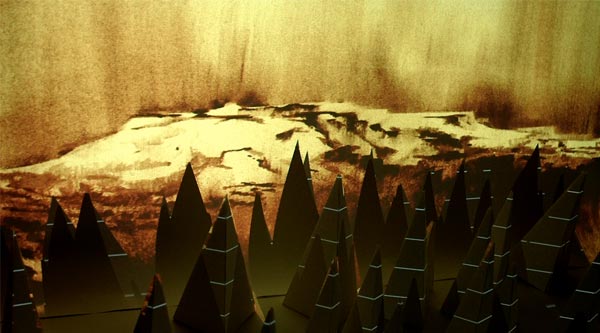
As seen above, the Madmapper interface is minimal and intuitive, and this helps mapping happen super quickly. For our test mapping onto some paper skyscrapers, it was a simple process of selecting which part of the video to be sent to a surface, then clickdragging the corners of the virtual surface until it the video filled the actual surface of the paper skyscraper in front of the projector. Total time to line-up video on the sides of 3 buildings? About 5 minutes. This is a very simple example, and possible with other existing software – but this software certainly makes the process a breeze. Am going to post a full review of Madmapper soon, and discuss some of it’s strengths and weaknesses for dealing with more complex scenarios. In the meantime, it’s worth noting that although it’s pitched as a solution for reconfiguring 2D imagery onto 3D shapes – Madmapper’s ease of use also makes it a very attractive option for just even compositing imagery within 2D environments. From the close-up below it should be evident how straight forward it is to select portions of video, and quickly composite this into desired shapes. More laters!
Now that I’ve finished marking all of the respective assignments from classes at RMIT and Swinburne, am looking forward to biting properly into a few long neglected creative projects / overloaded bookshelves / learning curves etc. And that overdue skynoise overhaul so it better reflects the 2011 web and myself. Next up though, a video island adventure in Sydney harbour.
This year’s festival was pitched as an island residency for developing some works in progress. Looks like it’ll be quite an interesting collection of projects, with many artists practicing / building / tinkering on site in public view, followed by a performance and exhibition day on July 16th, showcasing what has been explored during the residency.
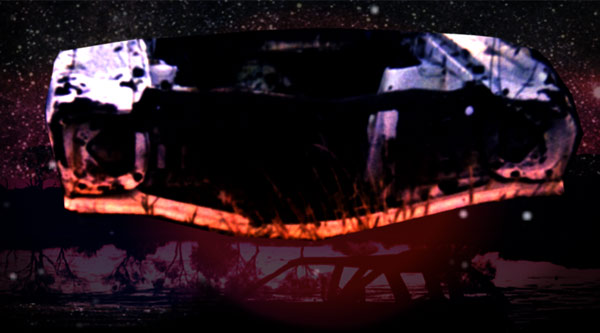
For our part, the work in progress will mean explorations into location sampling and weird algorithimic audio with Super-Collider (eg “New No New Age Advanced Ambient Markov Music Machine” and attempts to intertwine inflatable tendrils around the machine relic within our inherited room. Pixel-wise – I’m hoping to do some projection mapping experiments onto that machine relic, re-animating it as it were, in real-time response to the sounds happening, and similarly try to create some kind of responsive visual designs on the inflatable structures. Aside from that, I’ll also be testing out a triple screen external graphics card ( matrox triple head 2 go ) to experiment with simultaneously projecting various scenes onto the wall behind the machine and inflatable sculpture. For the scenes projected on the wall, will be playing with some simple responsive graphics and some filmed / composed sequences of various events / stop motion / locations from around the island. My tools of choice : VDMX + Quartz Composer, with Madmapper for the projection mapping (Madmapper review coming soon).
Below, James and The Machine, moustache not to scale:
Aka ‘The Continued Adventures of Someone From Video Compositing Land Trying To Get By Inside The Quartz Kingdom’…
Earlier Quartz Wrestling delivered a splitscreen effect which took any clip playing in VDMX, and replicated it 9 times to provide something like a video-wall. It also customised a few of the Quartz based VDMX transitions, and identified a new range of problems when creating in Quartz. After some more noodling, and helpful tips from both Dan Winckler and Joris de Jong (hybridvisuals.nl), I managed to solve some of these problems, and custom build an effect I’d wanted (attached below).
1. How to select a custom anchor point in Quartz, for rotating an image or video?
The idea here was to be able to generate rotations from a corner, or from create arcs of rotation, with the rotation centre being far below the image. None of the various Quartz patches I could find seemed to have an ability to adjust an anchor point.
The solution? “Reposition the clip so what you’d like to be the anchor point is in the center of the screen, then place it inside a 3D transformation patch, and use the rotation Z property of that patch to rotate it.” (via Joris)
Understanding three dimensional space is best done when you have at least a slithery grasp of 2D first, and it took me a while to figure out why the width of a quartz patch always seemed to fill the screen when it had a value of 2.
Welcome to the Quartz Composer coordinate system:
The width of a Quartz Screen is always 2, because Quartz treats the centre as 0, and gives the left and right borders of the screen the coordinates of –1.0 and +1.0. The coordinates of the top and bottom borders depend on the screen aspect ratio (AR). In the case of a 4:3 aspect ratio, the values at the borders are +1.0 / AR = +0.75 and –1.0 / AR = –0.75. ( From the Quartz Guide written by Apple’s basement dwelling engineers. See also: Quartz Composer User Guide (PDF))
Ok. So rotating a video and changing the anchor point.
The 3D transform patch that Joris suggested placing the clip inside, is a macro patch (which in Quartz have square borders, unlike the rounded corners of most patches). Macro patches can be created as usual in the Quartz editor window, but can host subpatches within them (after double clicking them. Clicking ‘edit parent’ takes the user back up the hierarchy to the editor window containing the macro patch). Below, the anchor patch with the 3D transformation macro patch:
Some notes from that screenshot – the viewer window is showing the combined result of 3 layers – each of which is contained within the macro patch. One of those is an image of red manga speed lines (set as the top layer, with blend mode set to add), and the others are a VDMX input, and a mask image to frame the VDMX input. As you can see, the centre of the image is black – because there is no VDMX input at the moment. Creating quartz patches for VDMX seems to involve a weird workflow of using say a webcam ‘video input’ while building a patch, and then swapping over the ‘VDMX video input’ when saving, then testing to see how it works in VDMX, then going back to Quartz and reconnecting the webcam and making adjustments, before reattaching the VDMX input and saving again.
Previously I’d only been working with Billboards in Quartz, which helped avoid 3D space – billboards ’render a quad positioned with 2 coordinates and which always faces the viewer’. I’d been routing clips and effects in patches to a billboard, which generally meant the viewer was filled with my video. So to create this anchor patch, I put a Billboard inside the 3D transform patch and set about trying to adjust the subpatch. This didn’t work, and Joris explained why:
“Billboards don’t work in 3d space, so you need to work with sprites. Sprites are basically the same as a billboard, but you need to do some of the height and width calculation yourself. I’ve attached an example of how to offset the anchor point, and how to size the sprite correctly based on different input images.”
The example included the image dimensions patch, which “gives you access to info about your current rendering environment (resolution in pixels and QC measures). You can then use the Math patch to further process this info to fit your needs. This way, when your output changes from 4×3 to 16×9 for instance, your patch will update accordingly. The QC coordination system takes a bit of getting used to, but using the RDD patch to keep things dynamic is a good practice.”
Rotations applied to the 3D macro patch, transform all of the sprites inside it, so I figured I’d try and add a few sprites and create a layered result that could be rotated at will within VDMX. Clicking on a sprite patch reveals in the settings, blend modes of ‘reveal’, ‘add’ and ‘over’. And I figured PNG images with transparency, or videos with alpha channels would allow masking and compositing within Quartz. After a bunch more trial and error, some blending tips via Dan came in handy:
“PNGs with transparency: alpha channels aren’t respected when the Blend Mode of Billboards and Sprites is set to ‘Replace.’ Choose ‘Over’ or ‘Add’ and you’ll see your black backgrounds disappear.
Blending in general: The drawing order of renderers (layers) is determined by the little 1,2,3,n… dropdown box at the upper right corner of blue Renderer patches. Make sure your Clear patch is set to 1 (first/bottom).
Other blend modes: if you type ‘blend’ in the Library search box, you’ll see all the Photoshop-esque blend modes. Again, it’s not like a video mixer — play with the patching order (the Image and Background Image inputs) some. Better yet, make your compositions into plugins and do your mixing/blending in VDMX or another QC host app!”
And eventually, I ended up with this custom masked anchor rotation effect for VDMX – which composites whatever video VDMX is playing, underneath the speed lines, masked by a circle, into the centre of the screen and allows real-time control rotation. Which is really satisfying – custom tuning an effect for a particular purpose. I’ve included the patch below – click on the image sources to replace them with your own, play around with the 3D transform values to create your own rotation variants, and for any parameters you’d wish to access inside VDMX, publish the relevant inputs and splitters.
Download the patch (with inbuilt masks. 2.3 mb) here to play in quartz, and here to use in VDMX ( place it in your QCFX folder and it should show up).
Thanks again to Joris and Dan, who provided insights at just the right times!
[[[ Turns out I've been doing 3DWorld's Technoscape column for around 10 years (and 5-6 patient editors). Below, my very last column for them, after they recently announced they were shutting down. Weirdly, this comes just as 3DWorld seemed to be getting a roll on, boasting a new smaller magazine format, hitting more cities, and starting to sculpt the overall content better.
The downturn in advertising revenue was blamed variously on the GFC, a downturn in clubbing and an increasing shift by promoters to the internet. It was often weird writing a very net focussed column for a weekly print mag, but never more so than this week. And it has certainly been an eventful decade for a column about media technologies. ]]]
</TECHNOSCAPE>
1998: Remember when that new search engine came out, promising better results with it’s algorithmic interrogation of linked relationships online? That was Google, in its PRE-VERB DAYS. Paypal launched that year too.
While I’d like to be able to say I was writing Technoscape since BEFORE GOOGLE EXISTED, I don’t think that was quite the case. 3D World on the other hand, goes back further, splashing it’s first club culture ink in 1989, before Facebook, before MySpace, before Youtube, before Google, BEFORE THE FIRST WEB BROWSER in 1993. Imagine – a time before the web even existed, and there were so many people dancing in dusty warehouses, that they needed their own magazine. In a time BEFORE STATUS UPDATES.
That loose timeline also shows we have no clue about what yet-to-be-invented internet services we’ll likely heavily rely on in only a few years time, and serves as validation for the ‘future proofing’ strategy of installing high bandwidth fibre optic under the NBN scheme. Less validating? Australia’s proposed net filter.
In 2001 some new fledgling software called Ableton Live was born in Berlin. You might’ve been using Photoshop 6.0, Final Cut Pro 3, After Effects 5.0, Cubase VST32 5.1, Pro Tools 5.0, Rebirth(!), Arkaos, VDMX and so on. And today, are we really much better, faster, stronger? A few quick keywords show how our tools and processes and possibilities have evolved: kinect hacks / serato bridge / maxforlive / processing / vvvv / syphon recorder / madmapper / quartz composer / touchOSC. More sophisticated, yepz, but arguably not much different.
3DWorld, it has been a fucking pleasure. Stay in touch via skynoise.net or twitter. I can’t believe this is the very last Technoscape sentence, and it is now exactly 400 words.