
Madmapper notes + links for workshops.
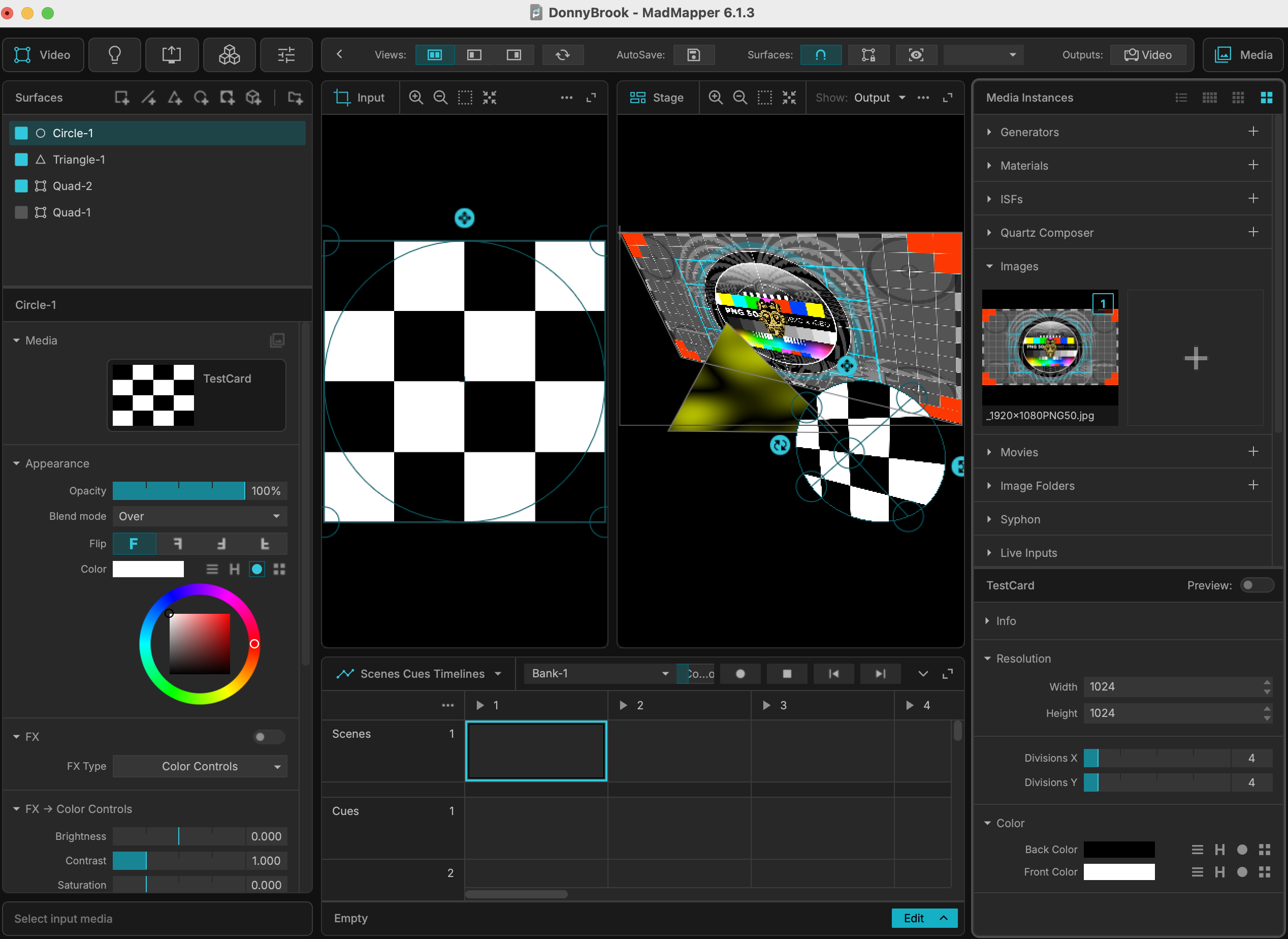
Understanding Madmapper
Madmapper comes with a wide range of features, but in essence:
Madmapper ‘maps’ source material, onto projected surfaces.
The idea of inputs (source material) and outputs (projector surfaces) is a core part of how MM works,
and needs to be kept in mind while learning.
With Madmapper 6, there’s finally some decent documentation! docs.madmapper.com
These are the key areas to explore, while starting…
2. Interface Overview ( Get to know the different sections +contextual menus)
Core functionality: ‘inputs + outputs’
3. Media (Types of inputs: image, video, generative, camera, streamed)
4. Surfaces (assigning media to them, warping + masking)
6. Outputs
Next steps:
10. Timelines (overview, scenes + cues, and exporting a movie from a timeline)
11. Live Performance Controls (eg keyboard shortcuts, midi, audioreactivity)
Mapping Workflow – Create a Template to Animate with
Madmapper is a great tool for improvising with onsite – with lots of tools for manipulating projections.
To do more detailed animation and video editing done offsite – a template is created and given to the animator/editor to ensure the work created will fit into the end projections onsite.
A template is a graphic which shows the boundaries of the projection, and the shapes within it, and is used as a set of guidelines for an animator/editor to move their pixels around.
– Create a template image using line-surface in madmapper to outline shapes. Take a reference photo.
– Save / export image. (Select Publish to Syphon, in Output, then press snapshot in Syphonizer or Syphon recorder.
- 1 – Analyse boundaries of projection, and onsite shapes within the projection (eg windows / columns / etc)
- 2 – Generate template (graphic outline of physical shapes)
- A – Do this onsite with lines in Madmapper. To save / export image from Madmapper, ‘Publish to Syphon’ (in ‘outputs’) then press snapshot in Syphon recorder
- B – A site photo with a test pattern projected is a good reference to show projection boundaries and proportions. Or if no site visit possible, get an elevation drawing or a photo of the site, from perspective of projector. Projection coverage can be roughly worked out using projector throw ratio info + aspect ratios to give an idea of what will be covered.
- 3 – Create Animations using template as guide.
- A – In animation or editing software. (place template graphic as top layer, move around on layers underneath)
- B – Internally in Madmapper. (Animate over time with timelines, then Export movie using conductor.)
Madmapper Video Tutorials
Official Madmapper YouTube
Matthieu Beghin – Madmapper coder, with several TIMELINE related tips
ProjectileObjects Madmapper Scenes + Cues
Madmapper Downloads
HAP codec – for optimum playback
Syphon Recorder – useful for recording mapped files
MadRouter
MiniMad – portable for installations
SoftEdge Calibration Card
Other Mapping Sofware
Resolume (tutorial), QLab, Millumin, HeavyM
See also (Disguise, Touch Designer , Dataton Watchout , VPT (free) , Smode , VVVV , Mapmap (free) etc)
Lightform
LightAct
iOS + Android mapping apps: DynaMapper
Other Useful Video Related Links
Programmer’s Guide to Video Systems – explains why video systems have so many quirks!
Video protocols for real-time sending video between apps – NDI, Syphon, Spout
Testcard – fast, light testcard generator for testing projector signals. (mac $14.99)
Super helpful reference articles by Blair Neal:
Guide to Projectors for Interactive Installations
How to make an installation stay up 4evr (MacOS)
Survey of Alternative Displays (2022 Update)
A Creative Technology Taxonomy
Guide to Cameras For Interactive Installations
Animated Projection Mapping Examples
Icebook theatre (mapping video onto paper models)
Max Cooper (live concert mapped onto Acropolis)
VJ Suave (projections onto environments, and travelling through a city)
The Light Surgeons (UK) – Super Everything (animated, multi-layered projections)
Installations by Yannick Jacquet (Legoman)
Installations by Romain Tardy (including this botanic gardens projection in Mexico)
Shadow Spirit: First Peoples Exhibition – Melbourne – great example of blended projections.
Examples of my Projection Mapping
Copy of The Copy – Projection mapping design for theatre
ACMI Cult of the Lamb Ritual – Projection Mapping design for ACMI building
In Between Two – Projection mapped set design for theatre
Trapper – Projection mapped set design for theatre
Sunsetting – Projection mapped objects for music video
Cosmic Two Wheeler – Projection Mapped installation for festival
MOFO at MONA – Projection mapped stage design for festival
skynoise.net 2026