
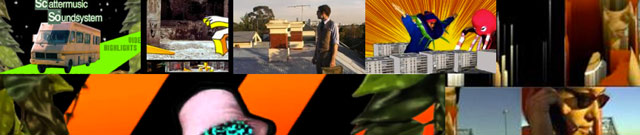
A work in progress, aimed as a useful overview of live video possibilities – a round-up of current software, hardware and techniques, and where possible, leaning towards the DIY side. A gathering spot for various links that illuminate some of the creative potential / opportunities available with video projection.
[ Last Updated : Aug 8, 2012 . ]
Examples
Live Audiovisual Exploration?
The Light Surgeons : True Fictions performance trailer.
and show reel. DFUSE – Particle Performance.Nosaj Thing’s audiovisual show.
Mapping Video Onto Surfaces
555 Kubik, Etienne De Crecy, Lasercave, dataflux, Amon Tobin’s ISAM. Short documentary about Projection Mapping.
Projection Enhanced Theatre
The Ice Book – a performance blending animation, puppetry, and film to bring a pop-up book vividly to life in front of the audience.
Projection Mapping Stop Motion Animations
La Cena by VJ Suave / see also Homeless by VJ Suave (interview with VJ Suave) and Suburbia by Zeal – a clip was made using a combination of stop motion animation and projection mapping – the link includes a video describing his process of automating DSLR and projector synchronisation.
Mobile Projections
Wildlife : projection from moving car onto buildings, with animated movements programmed to correspond to speed of car.
Speed of Light aka The World’s Tiniest Police Chase : Micro projections + animations customised to suit an office environment.
Planning & Preparation
Planning. Every hour spent planning will be savoured later when it has saved time shooting, capturing, processing, editing, rendering, exporting, loading into VJ software etc etc. Some useful tools/ideas?
Storyboarding? ( see also Hitchcock iphone app )
Understanding Comics by Scott McCloud is a great book for stimulating thoughts about how to pre-visualise and storyboard your ideas.
The Sour music video is an excellent example of how good planning can bring excellent results (in this case, utilising the webcams of users all over the world ).
Preparing for VJ performance? Think about variations of clips, templates, transitions, layers, masks, looping points. For live flexibility, think about modular clips that allow improvisation, adaptibility. Clips that loop nicely. Clips that layer and composite well together. Clips that can mask areas of the screen. Clips that allow dynamic transitions.
Production
There are a variety of basic editing packages out there to chop, layer and splice your videos. Dedicated compositing, motion graphics and visual effects software will likely prove very useful for video creation – from editors such as imovie and windows movie maker through to Final Cut Pro, Adobe Premiere or free software from Avid, and compositing software such as After Effects. In the 3D realm, there are options like Blender ( free ), 3DsMax, Cinema 4D and Unity Pro ( a game engine ). Increasingly though, it’s possible to generate and manipulate a lot of video material directly from within VJ software optimised to work via graphics cards ( rather than the CPU ).
The Basics
Make sure you know the end result needed for your video – and then figure out how to set that up within your software…. eg
What codec is required?
What dimensions should your video be? ( eg 1920 x 1080 pixels for HD )?
Does your video need to be displayed as interlaced fields, or progressive? ( read about interlacing )
Editing
Understanding the editing interface. Organising your media. Importing your media. Transcoding your media if necessary (creating edit-friendly temporary replacements for very high resolution files). Watching and logging your footage. building a rough cut. Editing techniques : eg cuts or dissolves, cutaways and reaction shots, matching action or matching screen position or movement. Sound.
Compositing
Adding layers / positioning elements. Colour correction.
Adding titles and effects.
Software for VJing, live audiovisuals, real-time cinema
Software needs : appropriate codecs, resolution, responsiveness, flexibility.
VJ Forums Wikipedia’s VJ software list.
VDMX 5 (Highly modular, adaptible, powerful possibilities, good Quartz Composer integration.)
Modul8 (well suited for motion graphics)
Resolume Avenue (Strong Audiovisual features)
CoGe (lots of Quartz integration, mac only)
Isadora (another modular contender)
Max / MSP + Jitter (Very powerful, customisable graphic programming language environment – People are excited about the MAX4Live software which integrates the sequencing possibilities of Ableton Live, and allows audio performers to tightly synchronise their custom Jitter parameters)
Processing (More accessible variety of the above)
VVVV (PC based patching software)
Animata – Live animation software, controllable via Quartz Composer and OSC (eg control limb movements / animation components in real-time)
Unity Game engine – Streamlined for game playing and the graphics card, this can also be used as a real-time 3D environment.
Hardware
Basic Technical needs : projectors, screens, cables, adaptors.
Capturing, Mixing, Controlling, Processing, Outputting.
Capturing : Increasingly, video is being captured onto cards or hard-drives within a camera – which then simply requires transfer to a computer for editing. A tape-based camera will most likely have a firewire, USB or analogue (RCA/composite ) connector, which enables capturing to your computer by plugging into the relevant input of your machine, or by using a capture card ( these can also be used to capture games / tv signals / live camera feeds etc).
What is interlacing? (And how to avoid it.)
HD camera considerations? Which codec does the camera record with? Quality and resolution of recording? Which lenses can it use?
Popular with VJs? DSLRs by Canon + Nikon. (Great for recording video in low-light conditions.)
Digital still cameras? Many can shoot high speed, which makes for great slow motion footage. Underwater casings are also more prevalent and cheaper for digital still cameras. Tiny portable cameras such as the GoPro record up to HD and enable dramatic action shots.
The Microsoft Kinect camera can be used to capture 3D data about a scene, or can be used in conjunction with a video camera to record and combine 3D + visual imagery.
Mixing : Video signals can be mixed with devices like these: Edirol V4 / Edirol V8 / AVM 02 / VIXID
The DVJ allows DVDs to be scratched and speed controlled like CDs.
The Spark DVI mixer shows promise for mixing HD digital signals of 2 computers.
Controlling : Video software can be controlled by much more than a double clicked mouse. Using some sort of hardware controller is one of the best ways to make live video more instrument-like, responsive, versatile and fun. Mostly we’re talking about using knobs, buttons, sliders and touchscreens to control video software parameters. Most real-time video software also allows a range of easy automated processes to control parameters – eg letting audio analysis functions use audio levels to control a parameter, or setting up a range of mathematical processes which can add randomness or ‘swing’ to your video parameters.
I use a Korg Nano controller for it’s compact size, and previously used the Novation Nocturn for its portability and on laptop screen interface.
The Monome is a minimalist controller…(see also, the arduinome)
Popular dedicated video controllers : Codanova, Livid Instruments Ohm64
Quneo: an intriguing new controller offering multi-touch, pressure, velocity and location sensitivity.
Using Turntables to control video + data ( not just music! ) – Serato Video / Mix Emergency – Serato Scratch video and quartz composer
The Jazz Mutant Lemur sports a huge touchscreen. See the Lemur controller being used in live Audiovisual manner. ( Lemur now have an advanced ipad app that replicates this functionality. )
iphones / iPads and Android touchscreen devices can be used as midi / OSC controllers : touch OSC, mrmr, MSA remote, Lemur
Any USB connectable joysticks, dancemats or game controllers can be used to manipulate video parameters, using Software such as Junxion. The DIY electronics Arduino kit : “a tool for making computers that can sense and control more of the physical world than your desktop computer. Arduino can be used to develop interactive objects, taking inputs from a variety of switches or sensors, and controlling a variety of lights, motors, and other physical outputs.”
Processing
Aside from the VJ software listed above, hardware can be used for live visual effects. eg Circuit bending experiments – or professional equipment such as the (now quite dated) Korg Kaoss pad.
Outputting
Aspect Ratios? eg 4:3 or 16:9. What proportions does your final output need to be? Is your production work and compositing using this information well?
What codec do you need to export your videos as? (eg For optimum performance with best quality image, Resolume prefers the DXV codec.)
“All codecs involve a trade off between the amount of compression and the resultant quality. If you compress too much the quality loss may become intolerable.”
Although written to suit video exports for the web (ie more heavily compressed, to suit faster downloading and browser viewing), rather than video for projection, the Vimeo guide to compression / exporting explains succinctly some of the key parameters to be aware of when exporting a video.
– Projector issues – input types? (VGA / HDMI / DVI / S-Video /Composite) Do you have appropriate cables and connectors to send a video signal from your computer to the projector? What is the projector’s output resolution and aspect ratio? Lense angle? What is the projector’s throw?
Projector Central is a great resource, featuring:
- a comprehensive listing of technical specs for most projectors
- an online projection calculator for determining how much surface area your projector will cover from a given distance
- a projector buyer’s guide (resolution, brightness (measured in lumens), contrast, input types)
- a Pico projector’s guide (Mobile / Pico projectors open up possibilities eg as used for the world’s smallest police chase)
Livestream-ing to the web. Net-jams. Pico projectors are tiny pocket projectors that enable all kinds of projection possibilities. eg the videohuahua project.
Setting up multiple monitors. ( requires multiple graphic card outputs, or external graphics cards such as these below)
Connecting to multiple screens / projectors can be done using external devices such as the Matrox Triple Head to Go card, which will divide for example – a very wide video sent from a single computer such as 2400×600 – onto 3 separate screens of 800×600. The more expensive Datapath X4 will send video to 4 separate screens, and includes a range of cropping and alignment features.
Dataton Watchout – A PC based platform for controlling video across multiple displays simultaneously.
QLab – Mac based software for controlling multimedia events and installations. “QLab allows you to control audio, video, and MIDI from a single workspace.”
Distance?
What is the maximum distance for transmitting a video signal?
– using VGA cables?
– using DVI cables?
– using analogue / RCA / composite signals?
Using a CAT 5 / ethernet / video balun to extend possible signal transmission.
Wireless transmission.
Motion?
Video Mirror Units ( Austria ) allow video projections to move around, by controlling a motorised mirror at the very front of the projector. The mirror and motor are moved using DMX signals, the protocol used for stage lighting. A device called UDMX, allows this to happen through a computer via USB ( it’s essentially a DMX to USB convertor all wrapped up inside a cable ).
Projection Mapping:
Madmapper – built around the idea of sharing video content between applications, using a Mac OS X based framework called Syphon. ( List of tutorials for connecting various software to Madmapper. )
VPT – a free multipurpose realtime projection software tool for Mac and Windows created by HC Gilje.
Millumin – Mac software for ‘creating and performing audiovisual shows’. Includes 4 corner mapping for layers, mesh warping for screens and multi-display edge blending.
Meshwarp Server – ‘a versatile Mapping Tool to create complex Video Projection Installations.’
IR Mapio – ‘a set of editor and plug-in of FreeFrameGL standard to arrange 2D mapping projections of arbitrary complexity’ – to be used within VJ apps such as VDMX, Resolume or Modul8.
We can generate our own 2D and 3D objects for projection onto. As well as manual experiments and building, there are precision options such as laser cutting and printing 3d shapes – and a range of origami software for printing paper models with the necessary fold marks:
ORI-REVO: – A Design Tool for 3D Origami of Revolution.
ORIPA – An Origami Pattern Editor.
Treemaker – a program for the design of origami bases
Pepakura Designer – make templates for paperwork models from 3D data files.
Techniques And Ideas?
Editing? ( In the Blink of an Eye – Walter Murch )
Processes & workflows.
– Tutorial for using Resolume to map video
– Tutorial for 2D / planar mapping
– Tutorial for 3D mapping (For the VVVV software, but explains the ideas well.)
Graphic Design.
Composition.
Motion Graphics and rhythms of light.
Zen TV Masterclass ( By Cold Cut / ninjatune.net ) – on how to create audiovisual loops for live sequencing and performance.
Momo : How to use Ableton Live to sequence live video
(the teeming void): After the Screen: Array Aesthetics and Transmateriality ( A great essay that frames a few interesting ideas about a shift to projections away from screens. )
Post-Production
Software? Adobe After Effects, Motion and many, many other applications can go beyond the edit, and provide rich processing capacity. As well as these traditional tools, many VJ applications provide capacity for real-time exploration of effects and manipulation.
Budding visual artists looking for something like Photoshop with a timeline, usually find themselves at the door of After Effects soon enough. And while higher end software packages exist, it remains a sophisticated and powerful application for creating animation or motion graphics, for layering and compositing text, graphics and video, and for adding special effects or post-producing ( colour corrections etc ). There’s an abundance of tutorial sites online, but there’s a few resources that are particularly handy :
videocopilot.net – has a great range of free introductory video tutorials, and sells more advanced tutorials ( as well as software plugins ).
ae.tutsplus.com – Probably the most regularly updating AE blog out there.
aescripts.com – Useful scripts that can make several tasks easier ( auto-detect edit points and separate clips into individual layers? No problem. )
creativecow.net/after-effects-tutorials-podcast – The pioneering motion graphics site also has 150+ video podcast episodes to wander through, from easy through to brain-squintingly hard.
Arguments about resolution & production : codec quality vs flexibility for performance ( with smaller file sizes )?
Recording & remixing.
Processes & workflows.
Live Video Inspirations:
Cold Cut (UK) – “Audiovisual collage pioneers back in the day..”
E.B.N. – “More 90′s AV cut n paste..”
The Light Surgeons ( UK ) – “Next level live audiovisual choreography..”
UVA (UK) – “yeah those guys that do the Massive Attack visuals.. and lots more”
Lucky People Centre (SE) “Provocative feature length cinema made with a DJ sensibility”
Solu (Fi) – “She has a beautiful live AV aesthetic..”
Gangpol Und Mit (FR) – “Rad and great live audiovisual French duo..”
Runwrake(UK) – “Fantastic and inventive animation veteran..”
Adam Curtis (UK) – “Not live – but this BBC documentary maker has a very fluid collage and narration style.”
*spark (UK) and Vade (US) – “Both interesting live video artists in their own right, and expanders of live video possibilities for others.”
And sure, cinema magicians such as: Jacques Tati, Alejandro Jodorowsky, Michel Gondry, Chris Marker, Werner Herzog, Harmony Korine, Stacy Peralta, David Lynch, Spike Jonze, Walter Murch, Federico Fellini, Stanley Kubrick.
[…] gathered a few mapping creation and performance related links, and other live video links here : skynoise.net/video-primer, for a talk given at electrofringe […]